 KALIWEB SYSTEM · Field service & ticketing
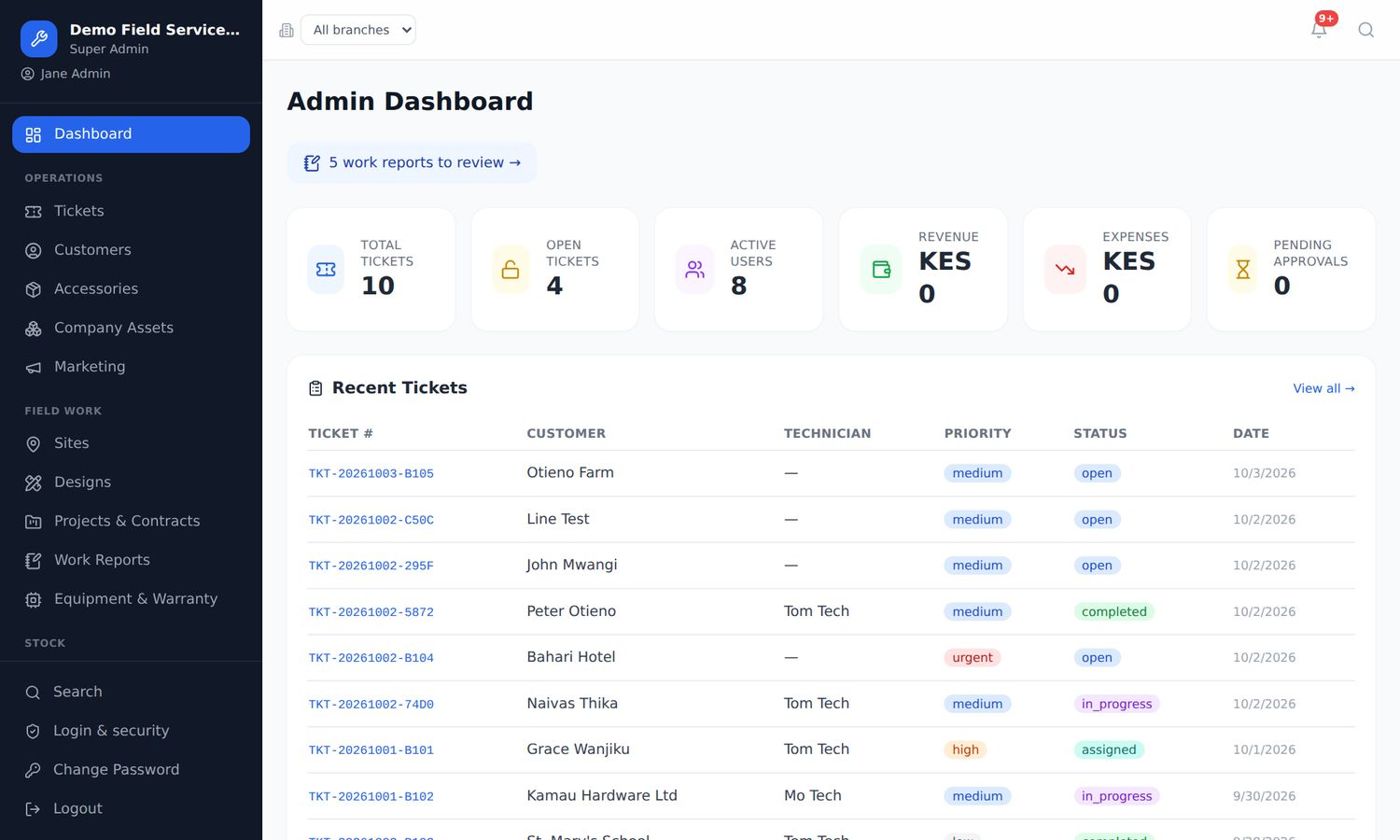
The office, the technicians and the money in one system
Tickets, technicians, stock, quotations, invoices, M-Pesa, bank and payroll in one place, for ISPs, solar installers, CCTV & security, electrical and telecom tower contractors.
Does this sound like your business?
Most field-service companies grow on WhatsApp groups, Excel sheets and paper job cards. It works, until it doesn't.
Jobs get lost
Requests come in on five different phones. Nobody knows which jobs are open, who is on them, or why a customer waited three days.
Technicians are hard to follow
Was the job done? When did they arrive? What did they use? You find out when the customer complains.
Stock disappears
Cables, panels, routers and cameras leave the store with no record of which job they went to.
Money comes in slowly
Invoices typed late, sent late and chased for weeks. M-Pesa payments matched by hand.
Month-end is painful
Payroll in Excel, PAYE, NSSF and SHIF worked out by hand, expenses on paper receipts.
You can't see the business
Revenue, profit, technician performance, branch results: all guesswork until the accountant finishes.
Every job, from call to cash
One simple flow your office, technicians and customers all follow.
Request
Phone call, walk-in or the customer portal. The customer gets an SMS with a tracking link.
Assign
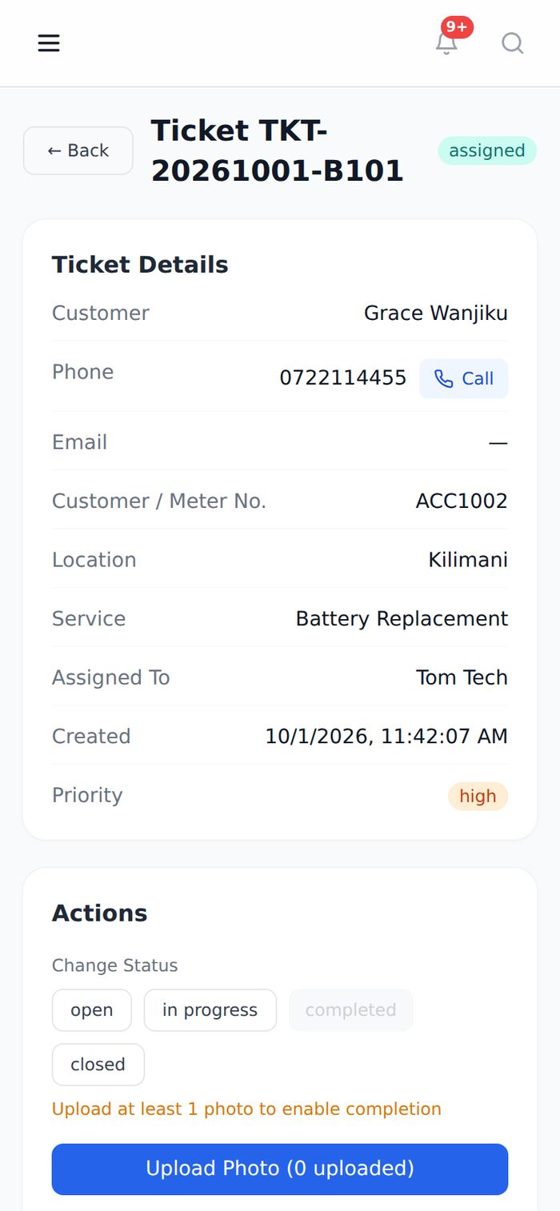
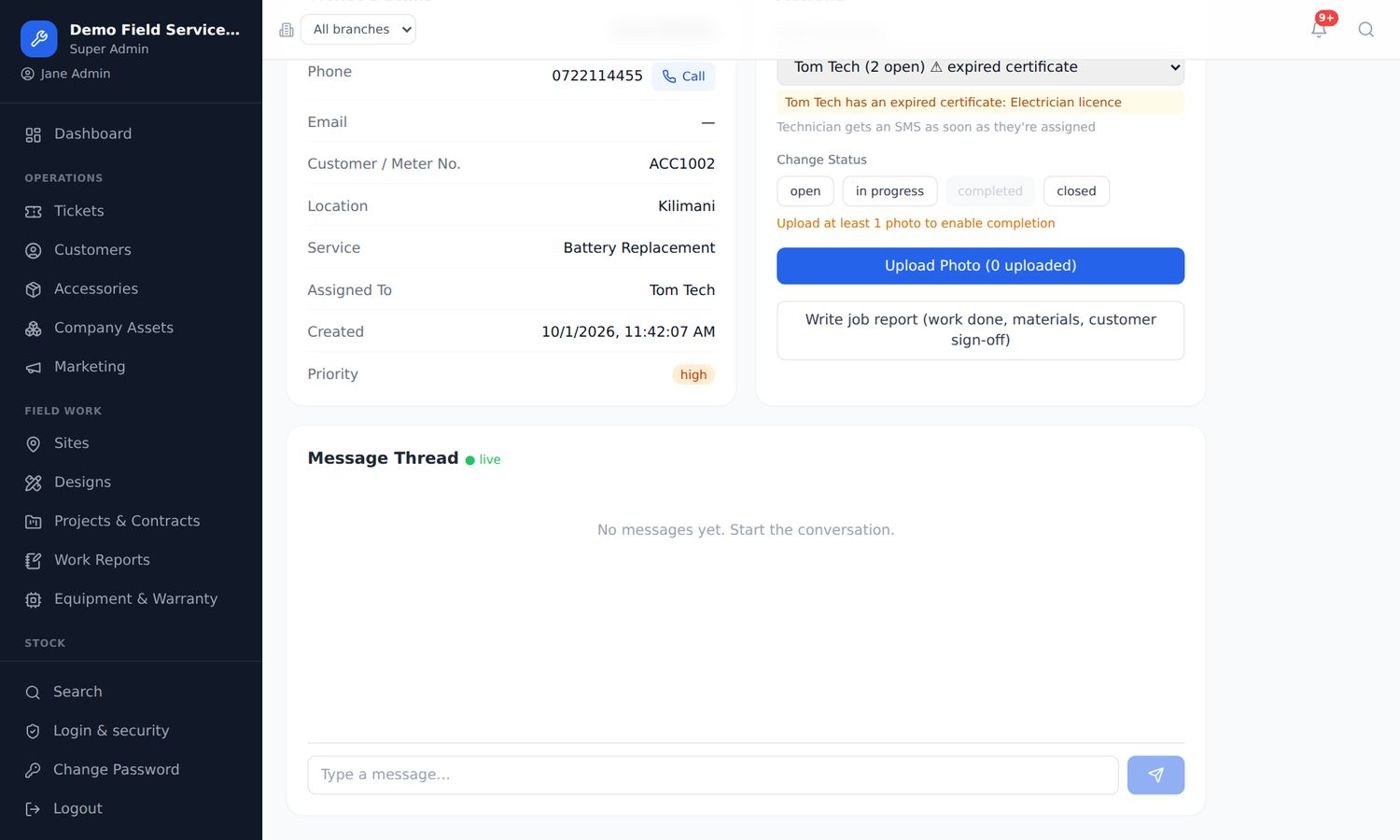
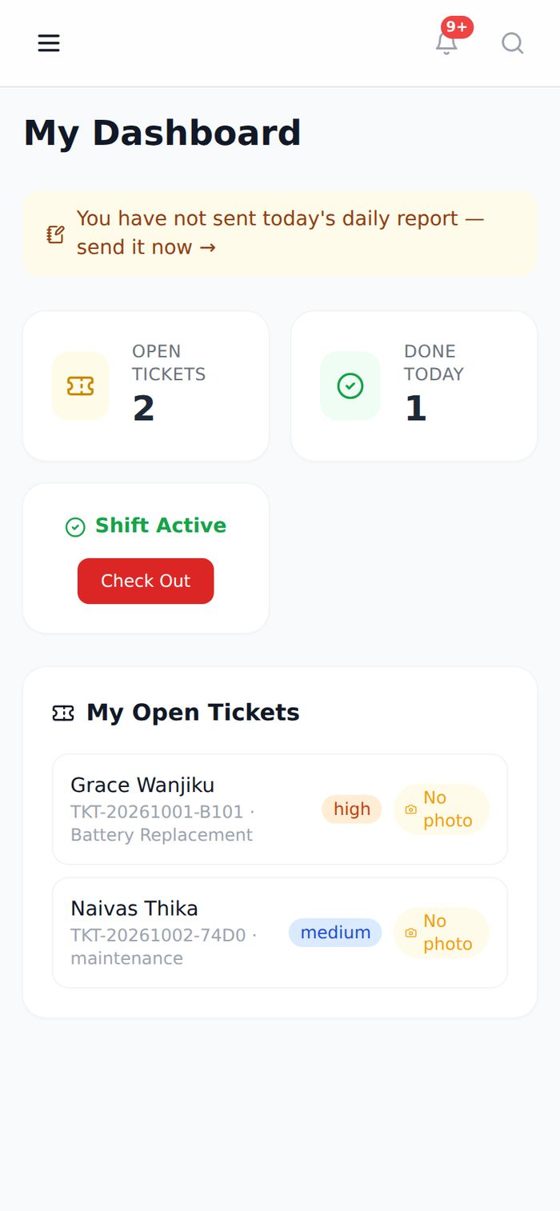
The supervisor assigns a technician, who sees it on their phone straight away.
Do the work
Materials, photos, readings and the customer's signature, even with no internet on site.
Invoice
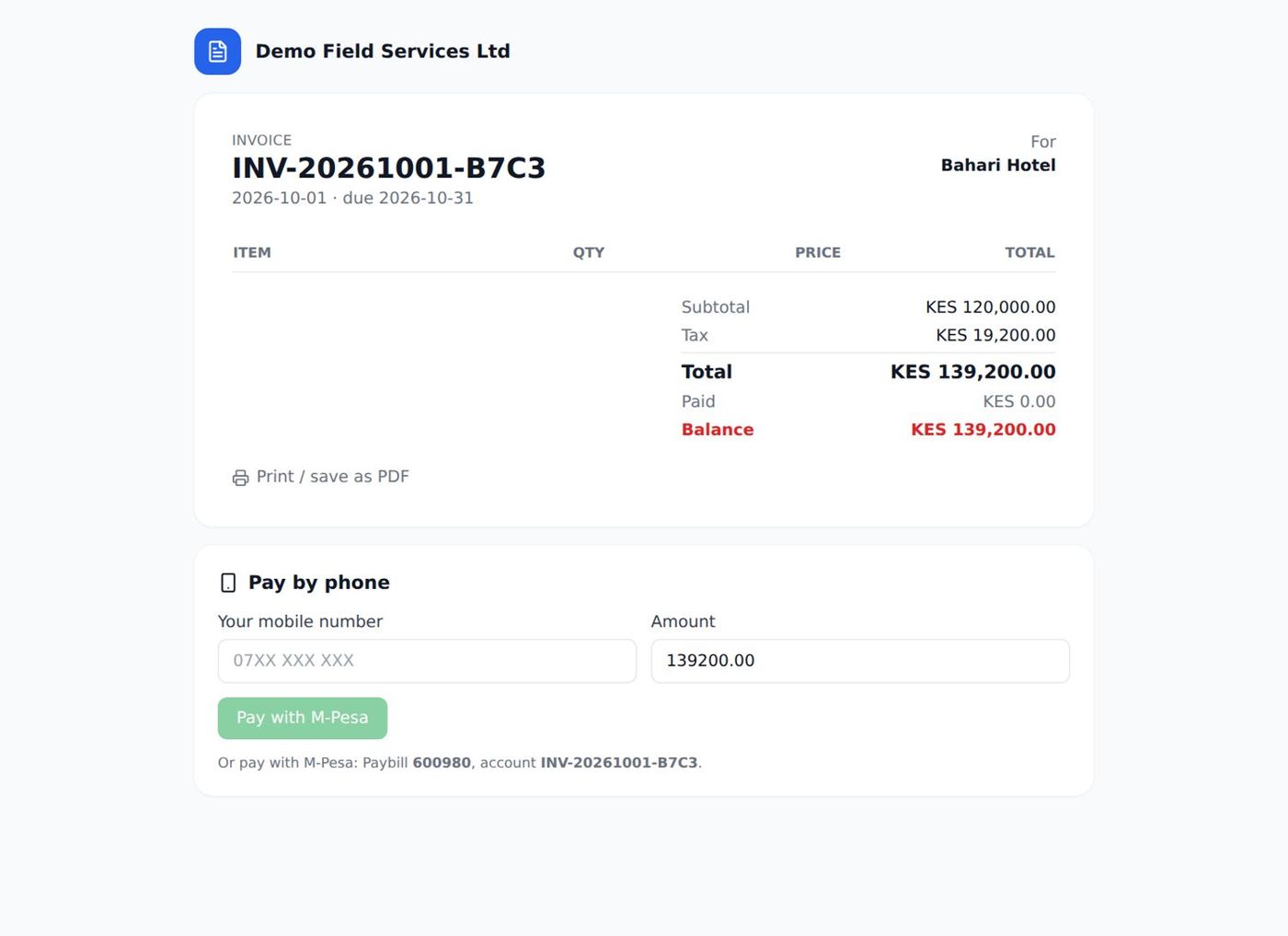
Sent by SMS or WhatsApp as a link the customer opens on their phone.
Get paid
Paid by M-Pesa, MTN or Airtel and matched to the invoice automatically.
Everything a field-service company needs
All modules are included in one price. We switch on only what your business uses, so the screens stay simple for your team.
Tickets & dispatch
Log, assign, track and close jobs with priorities, history and customer SMS updates.
Technician app
Any phone, no app store. Photos and reports saved offline and synced later.
Customers & portal
Customers log in with their phone number to see jobs and invoices, and pay.
Quotes & invoices
Sent as links. Quotations accepted with the customer's signature.
M-Pesa, MTN & Airtel
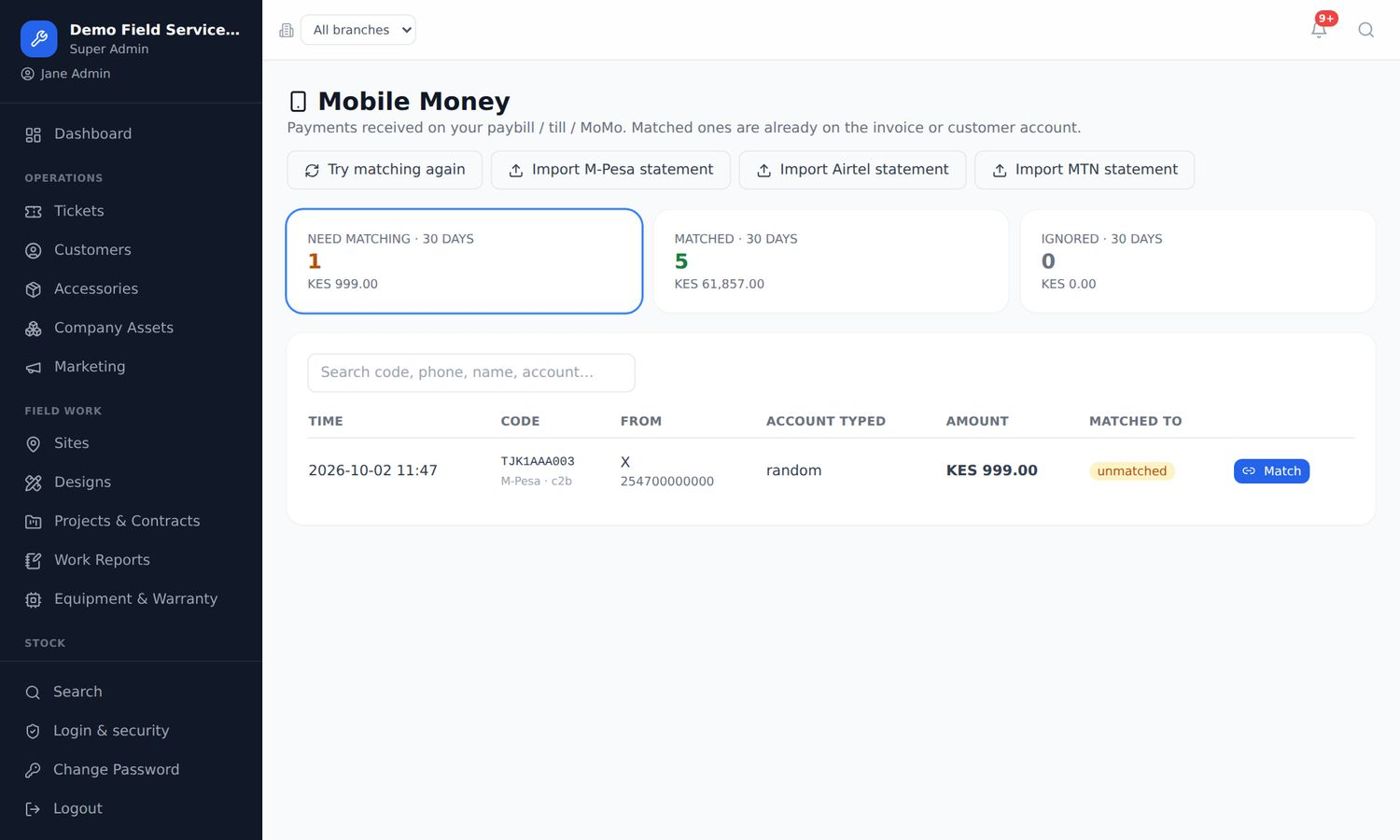
Your own paybill or till. Payments matched to invoices automatically.
Bank link
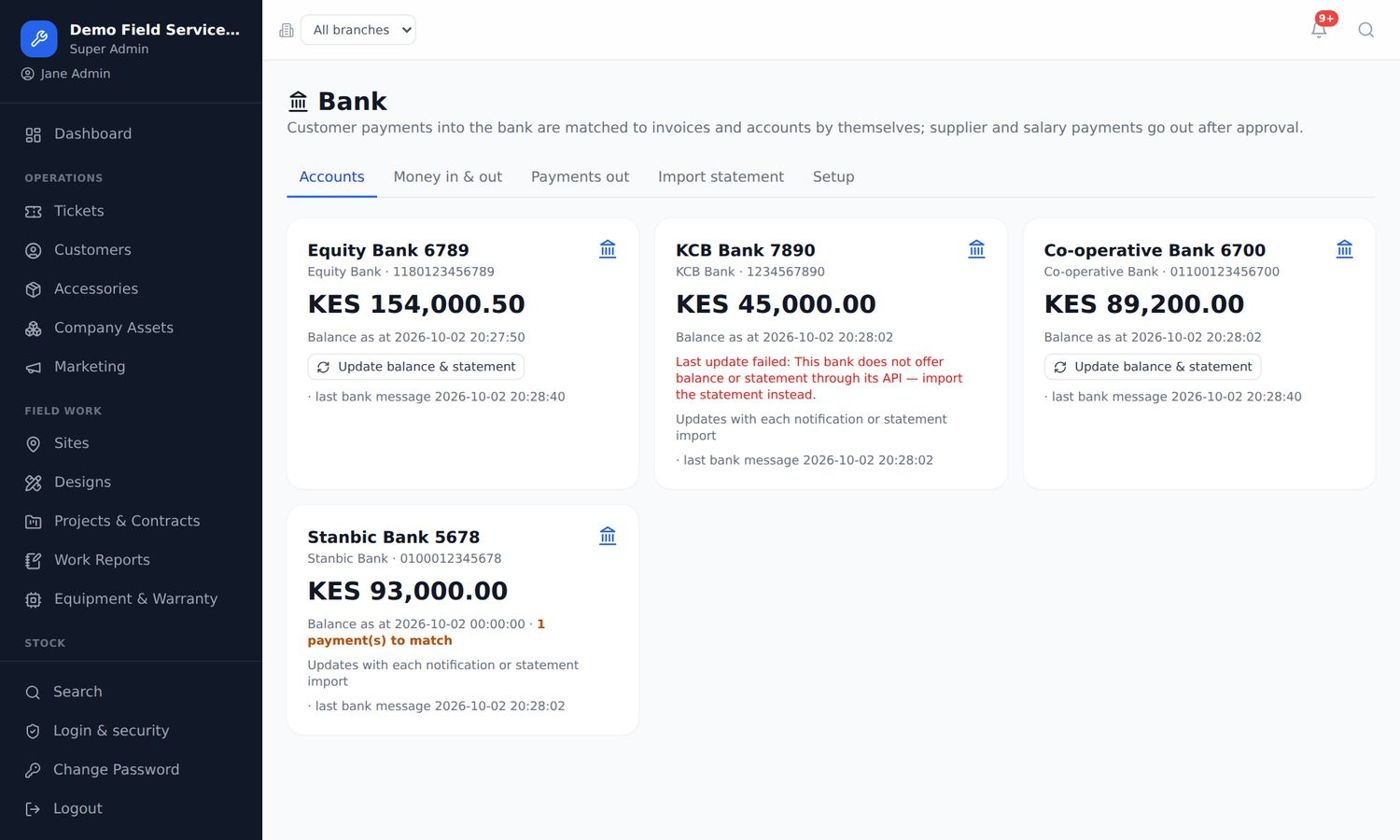
Equity, KCB, Co-op and more: payments in, statements, approved payments out.
Stock & purchasing
Materials per job, purchase orders, suppliers, transfers between branches.
Expenses & approvals
Staff submit, managers approve before money goes out.
HR & payroll
Leave, attendance and payroll with PAYE, NSSF, SHIF and Housing Levy, plus Uganda and Tanzania rules.
Sites & permits
Sites on Google Maps, safety checklists, permits to work, staff licences.
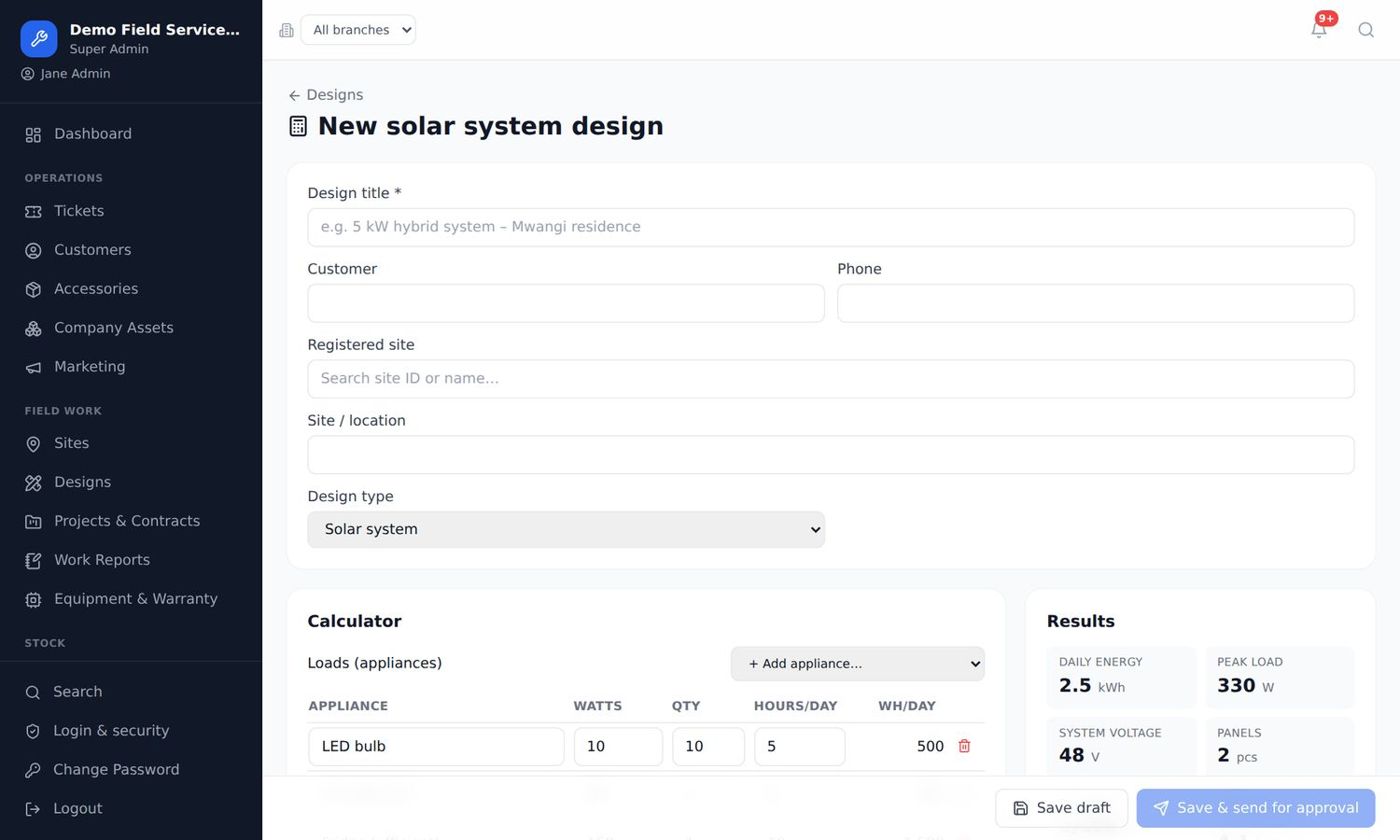
Designs & calculators
Solar, electrical, network and telecom power, turned into a quotation.
Projects & contracts
Milestones, budgets, and maintenance contracts that raise visits by themselves.
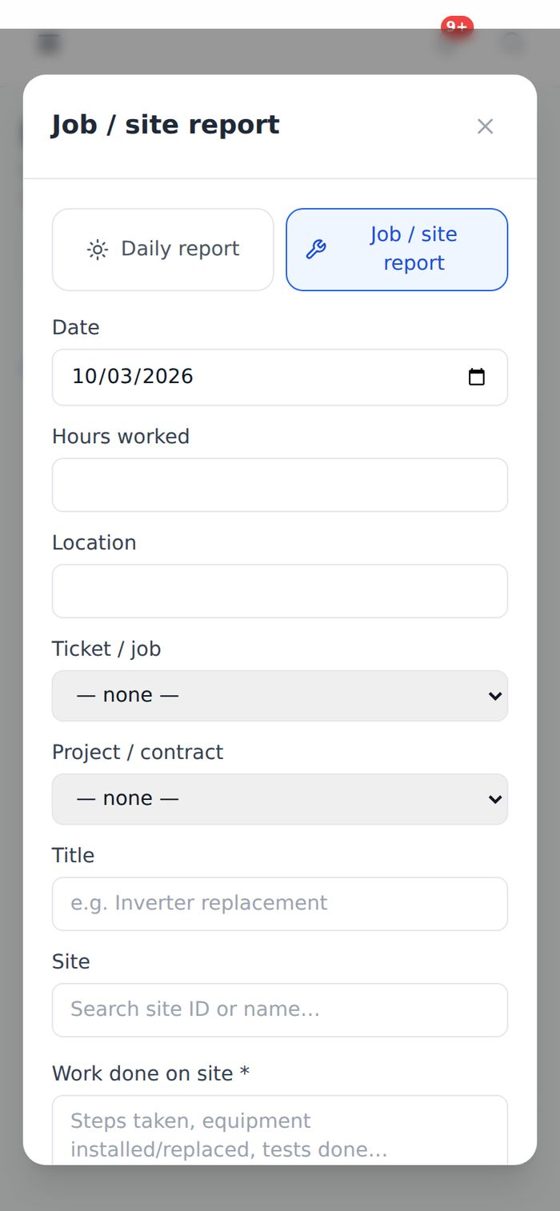
Work reports
Daily and job reports with photos, readings and customer sign-off.
Reports & dashboards
Revenue, expenses, profit, performance and branch results, exported to Excel.
Branches & roles
Many branches in one system. Your own roles, such as store keeper or cashier.
SMS, WhatsApp & leads
Automatic customer messages, leads and SMS campaigns to win more work.
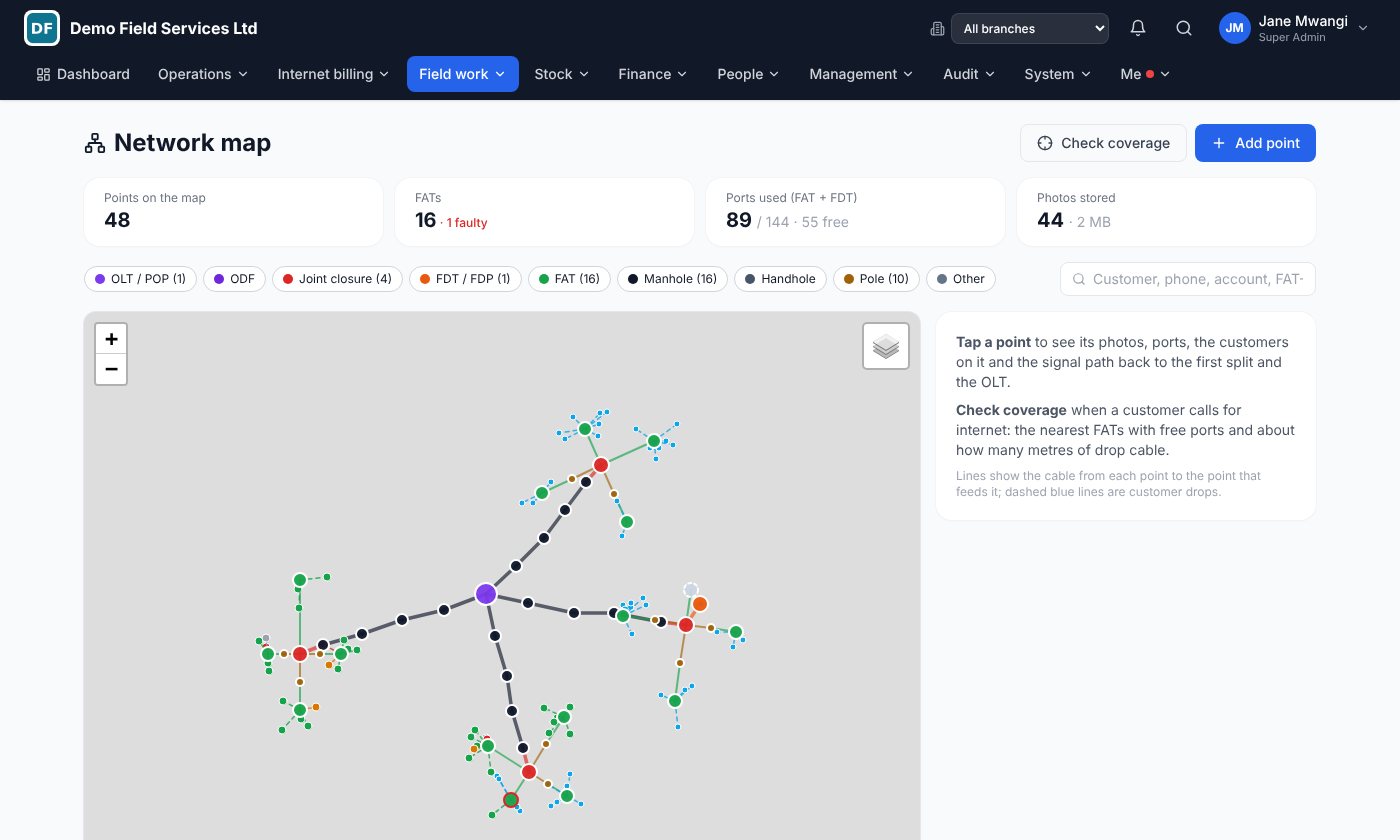
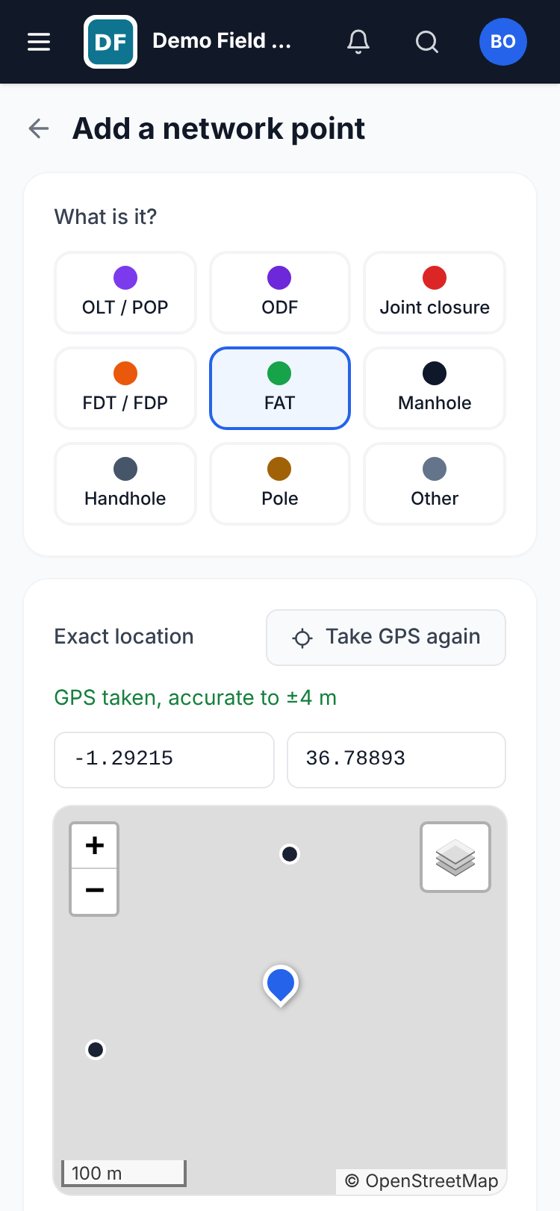
Network map
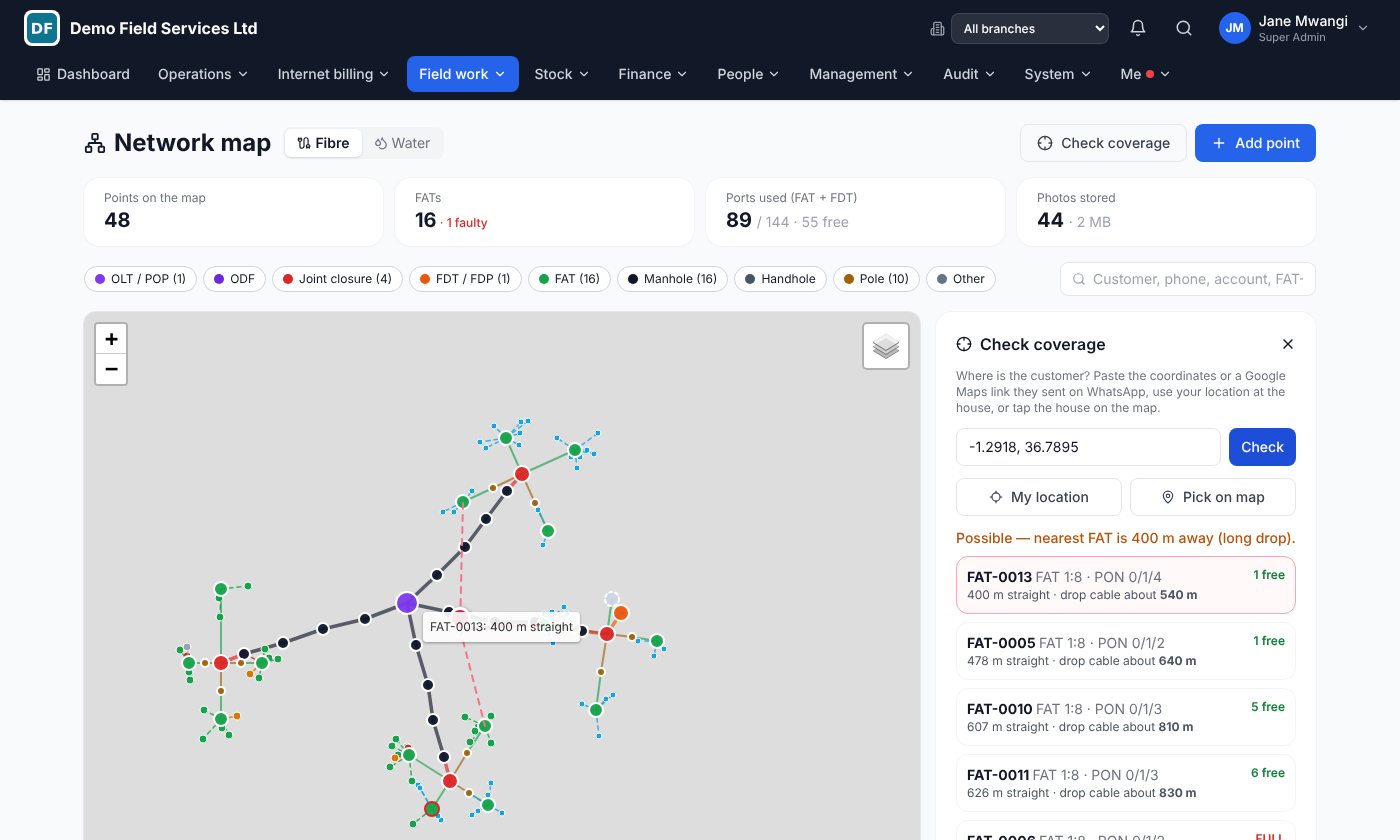
FATs, closures and manholes with GPS and photos, coverage check and signal path. For ISPs →
MikroTik & OLT link
Who is online, ONU light levels, automatic suspend and reconnect. For ISPs →
Your money, matched automatically
Connect your own M-Pesa paybill or till, MTN MoMo, Airtel Money and your bank. Money goes straight to your accounts; the system keeps the records straight.
- Customers pay with the invoice number as the account, and the invoice is marked paid within seconds.
- Request payment by phone: the customer gets a prompt and enters their PIN.
- Bank deposits from Equity, KCB and Co-op are matched to invoices and customers.
- Pay suppliers and salaries from the system, approved by the people you choose.
- No API yet? Import your M-Pesa or bank statement and it is matched for you.
Your whole network on one map, and live
See every FAT, closure and manhole on the map, check coverage while the customer is still on the phone, and watch your MikroTik routers and OLTs from the same system you bill from.
The network map
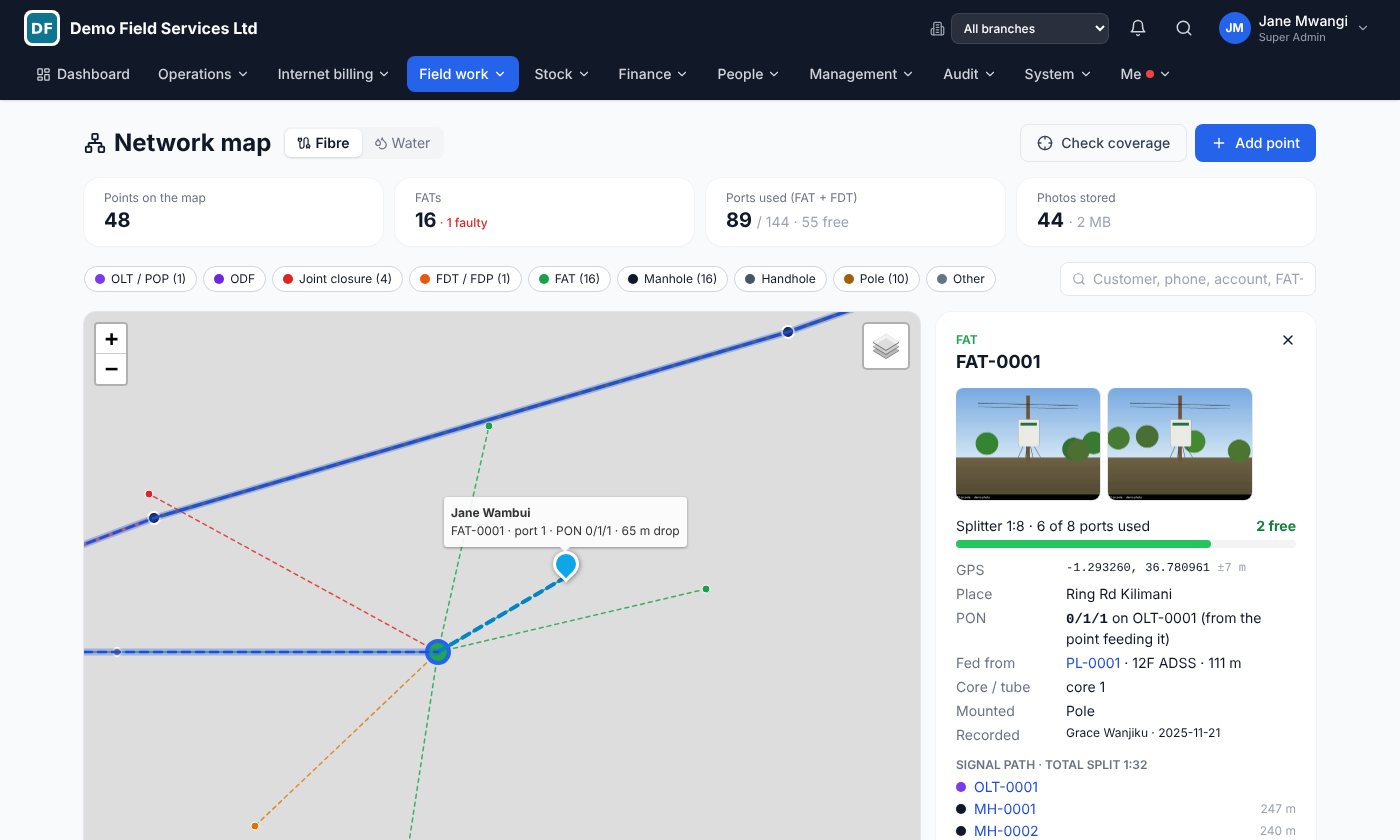
- Technicians map it in the field. OLT, ODF, closures, FDT, FAT, manholes and poles, with exact GPS from the phone and photos.
- Check coverage in seconds. Paste the location the customer sent on WhatsApp and get the nearest FATs with free ports and the drop cable needed.
- Trace the signal path. Tap any FAT to see every point back to the OLT and the total split (1:8, 1:16, 1:32…).
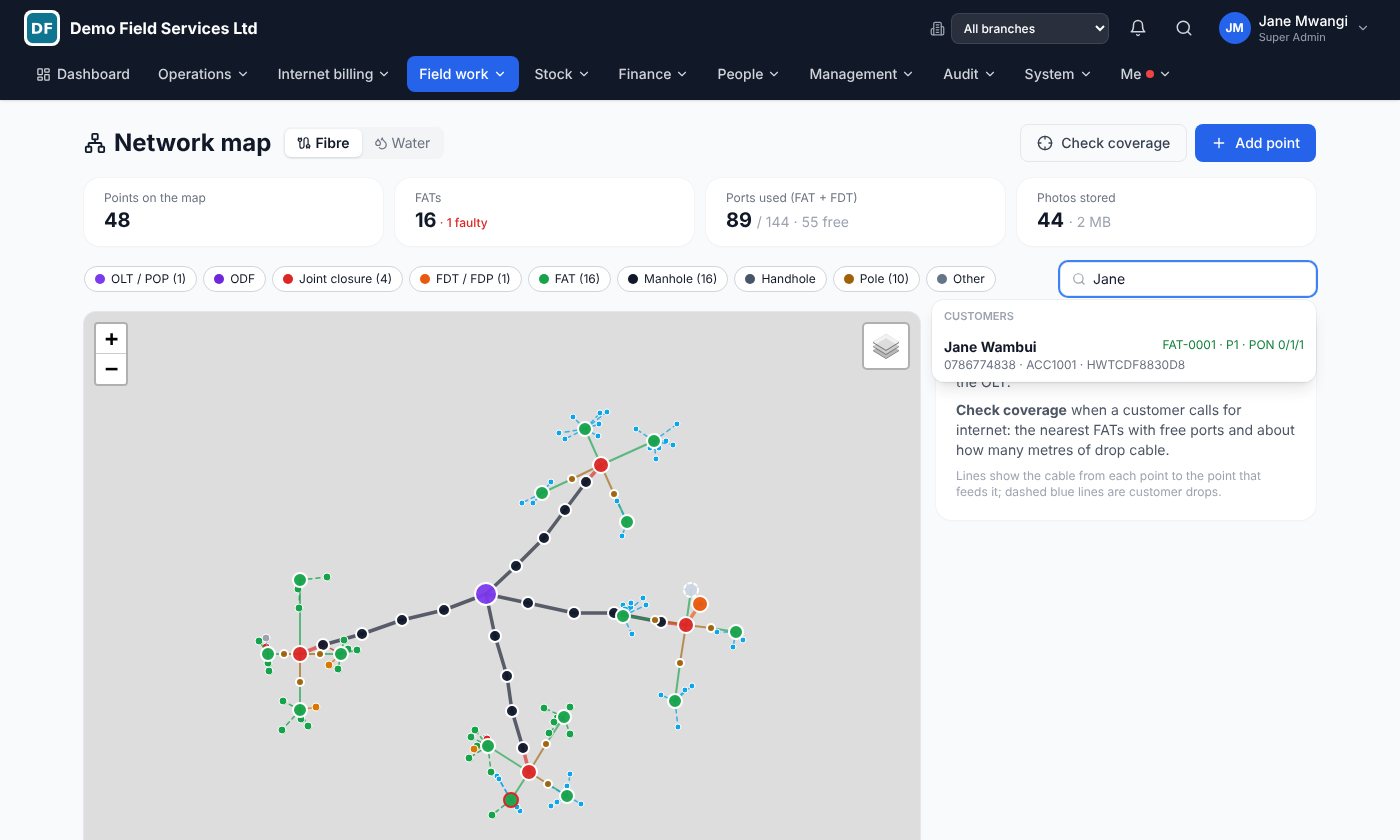
- Find any customer on the map. Search by name, phone or account and see the FAT, port and PON they are on.
- Ports and PONs under control. Free and used ports on every FAT, full or faulty points flagged.
Live network: MikroTik and OLT
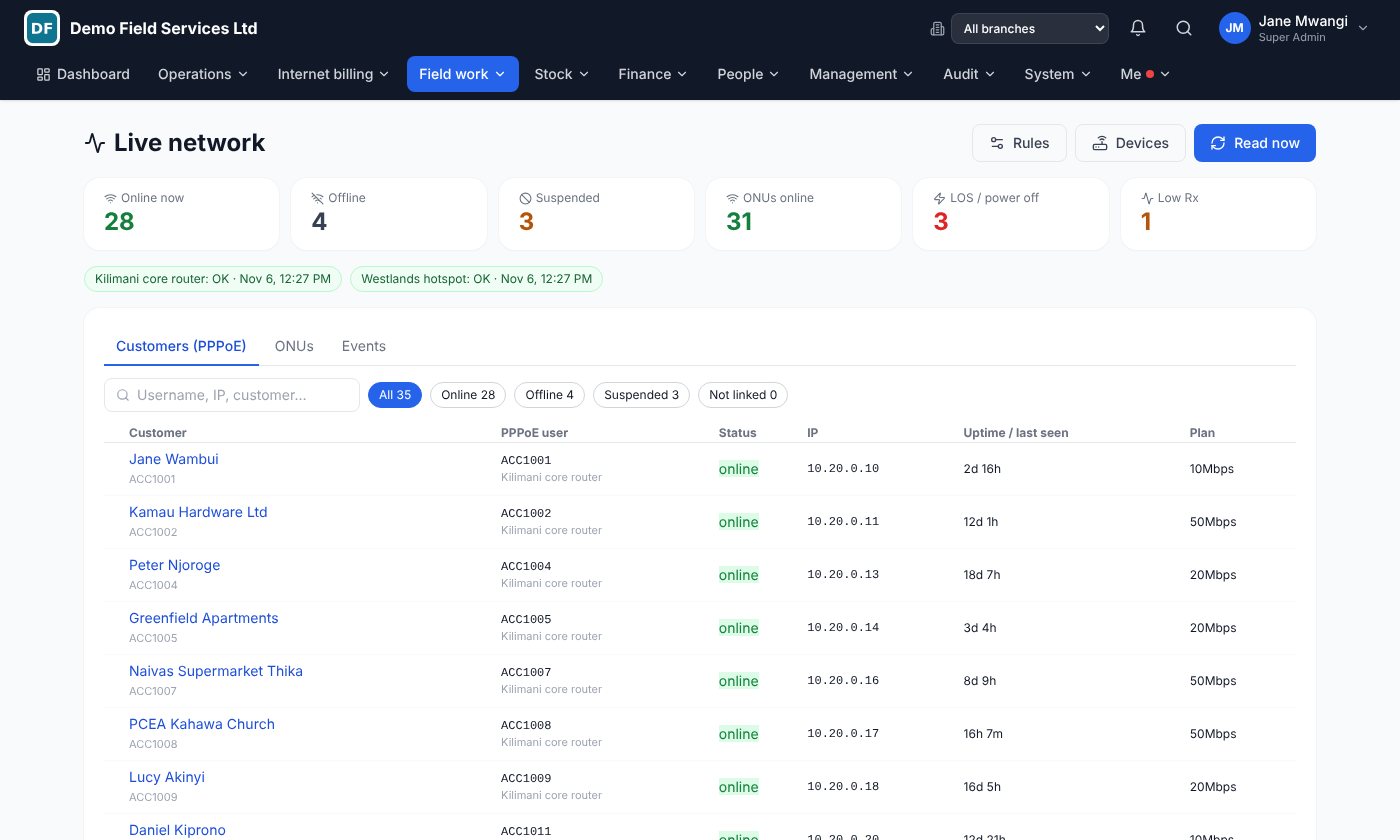
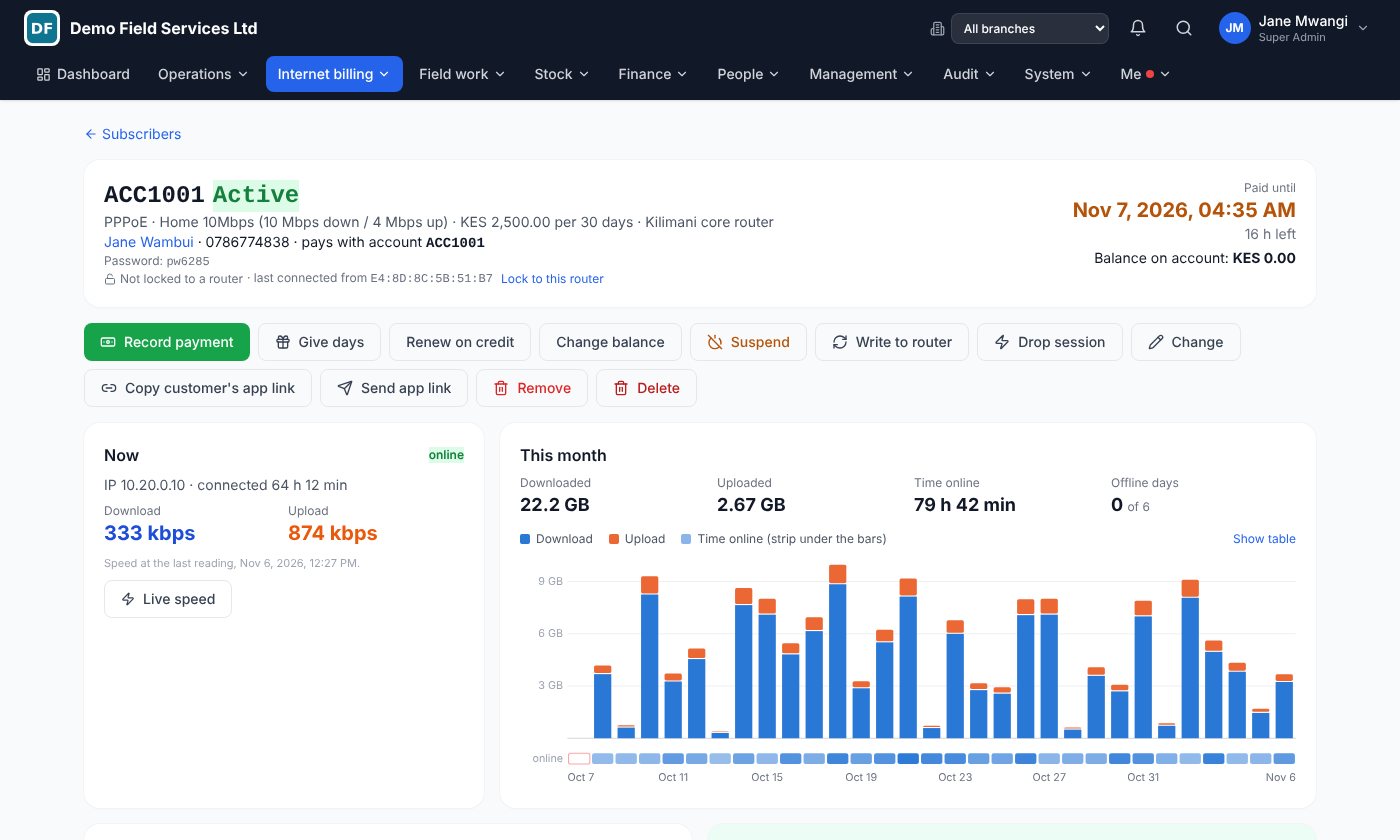
- Who is online right now. Every PPPoE and hotspot customer with IP, uptime and plan, read from your MikroTik routers.
- ONU status and light level. Every ONU with PON, status (online, LOS, power off) and Rx power from your OLTs.
- Suspend unpaid, reconnect on payment. Overdue customers are suspended automatically and reconnected the moment they pay by M-Pesa or bank.
- Faults raise themselves. When a customer's ONU loses light, a fault ticket is opened before they call.
- Customer care sees it all. The customer's page shows internet status, ONU and Rx power next to their invoices and tickets.
Works with MikroTik routers and Huawei, ZTE, VSOL, C-Data, HiOSO and other OLTs. We connect your devices for you.
It speaks your trade, not just "tickets"
Job types, readings, calculators and checklists follow what your company does.
Connect more customers. Fix faults faster. Collect every month.
Installations, faults, relocations and collections for fibre, wireless and hotspot providers.
From site survey to signed handover, and paid.
Size the system, quote it, install it, prove it and maintain it.
Every camera, every site, every service visit.
Surveys, installations and service contracts for CCTV, alarms, access control and electric fences.
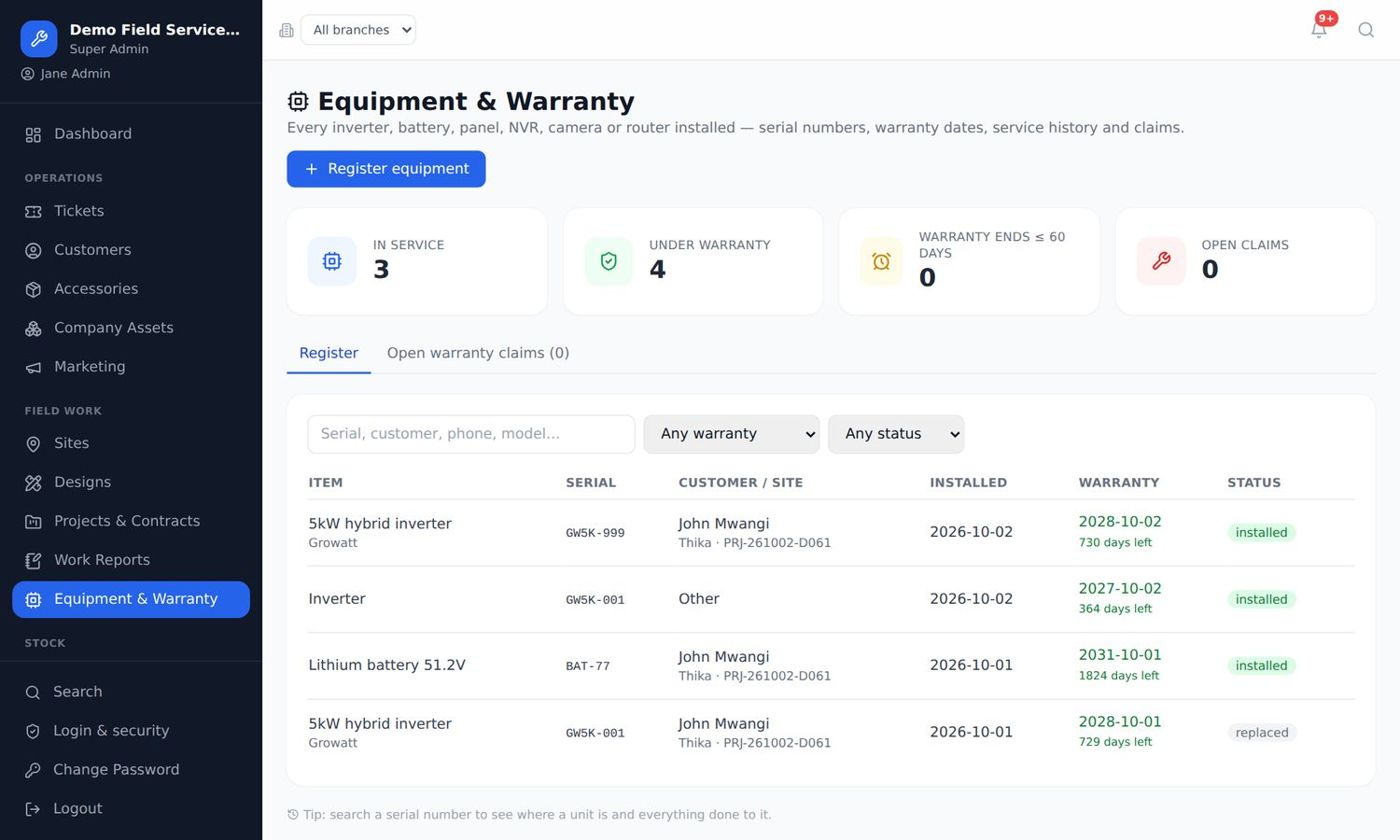
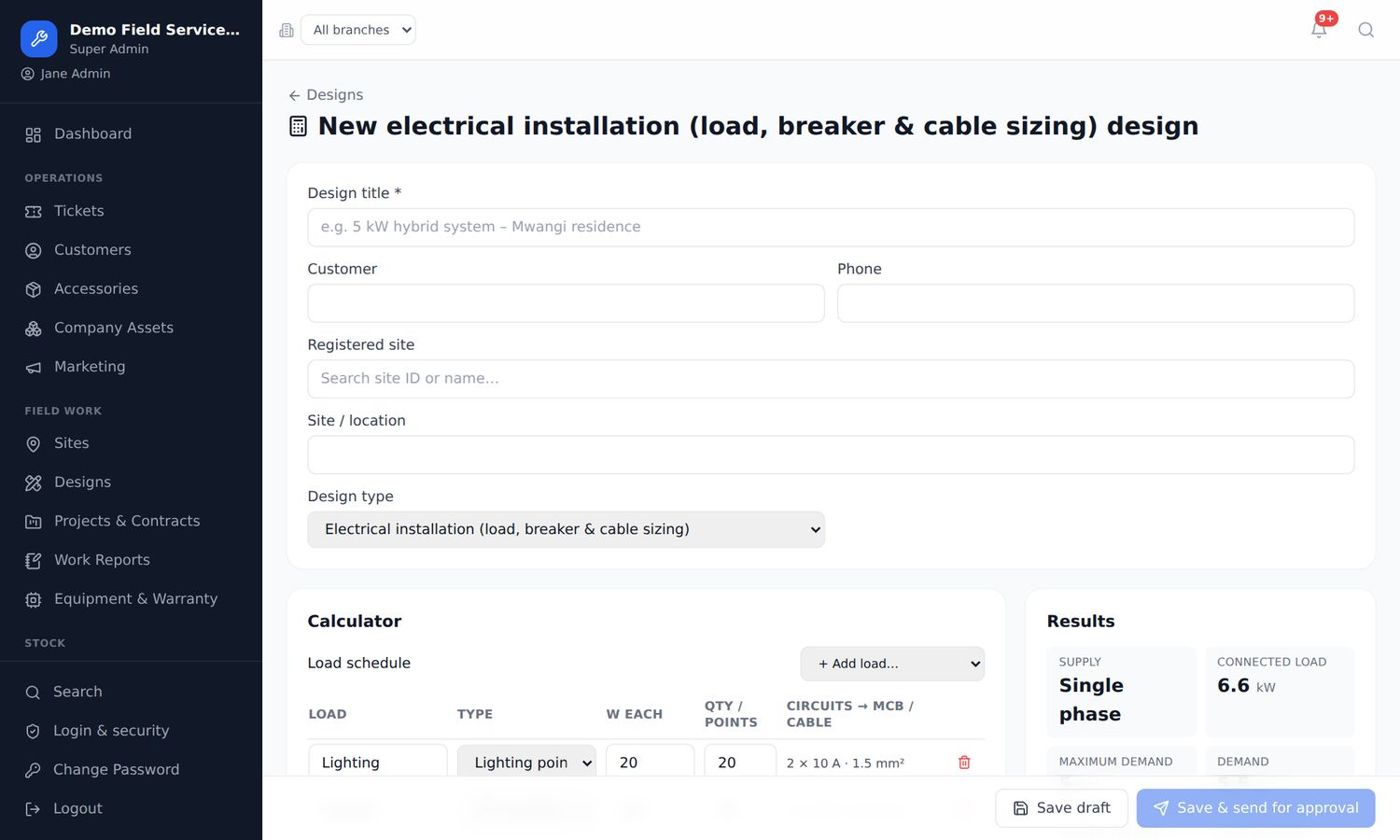
Design it right. Certify it. Get paid for it.
Wiring, installations, maintenance and testing work, with calculations and certificates done in the system.
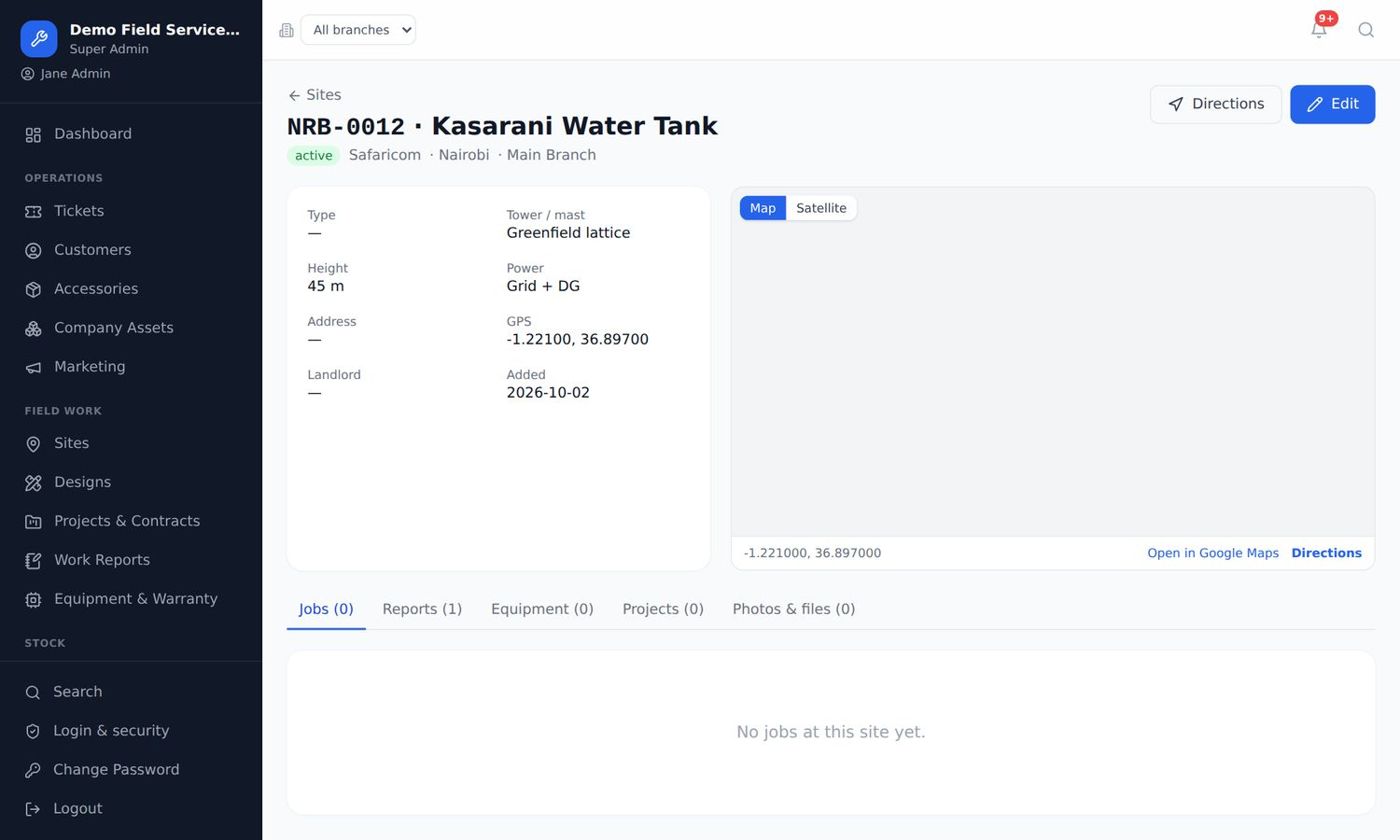
Hundreds of sites. One clear picture.
Preventive and corrective maintenance, power systems and rollouts for tower companies and operators.
Built to be trusted with your business
Your own address
Runs on your domain, e.g. support.yourcompany.co.ke, with your name and logo.
Your own database
Kept separate from every other company. Never shared.
Nightly backups
Your data is backed up every night.
Secure logins & roles
Protected logins and a role for every job.
A price for your company
All modules included, no per-module charges. Email us for a demo and a price for your company: we reply within one working day.
Hosted by Kaliweb
We run everything. You just log in.
- On your own domain with SSL
- Nightly backups
- Updates installed for you
- Server looked after by us
What hosting includes
Hosted and looked after by Kaliweb.
- Security and monitoring
- Your routers and OLTs connected through our secure link
- Set-up, import of your data and training
- Support by phone and email
Prefer to talk? Call 0111 052 189. Kenya, Uganda and Tanzania.
Live in days, not months
Free demo
We show you the system with your kind of jobs, on a laptop and a phone.
Set up
You point your domain to us; we set up your company the same day.
Import & train
We help you bring in customers and stock, and train your office and technicians.
Go live
Your team works in the system from day one, with support by phone and email.
See it with your own kind of jobs
Download the brochure, or book a free 20-minute demo.
Frequently asked questions
Do my technicians need a smartphone app from the store?
No. They open the system in their phone's browser and tap "Add to Home screen". It works like an app, and job reports and photos are saved even without internet, then sent when the phone is back online.
Does it work with my MikroTik and OLT?
Yes. The system reads MikroTik routers (PPPoE and hotspot) and OLTs from Huawei, ZTE, VSOL, C-Data, HiOSO and others. Our team connects your devices during set-up, and you can start with the network map alone.
Does the money go through Kaliweb?
No. You connect your own M-Pesa paybill or till, MTN, Airtel and bank accounts. Money goes straight to your own accounts; Kaliweb never holds or handles your funds.
Is my data safe?
Your company has its own database on its own domain, with protected logins, roles for every job and nightly backups. Your data is never shared with anyone.
Does it work in Uganda and Tanzania?
Yes. Currency, phone numbers, VAT and payroll rules (PAYE, NSSF and others) are set up for your country, with MTN and Airtel mobile money where they are used.
How many users can we have?
The number of users is agreed when you sign up. Tell us your team size when you book the demo and we will include it in your quotation.
Can we move from Excel or another system?
Yes. We help you bring in your customers, stock and staff, set up branches and roles, and train your team so you are working in the system from the first day.
What if we stop paying?
The system is locked with a message to contact us, but your data is kept. Once the account is up to date it opens again exactly as it was.
Can we install it on our own server?
No. KALIWEB is hosted only by Kaliweb, so that backups, security, updates and the link to your routers are handled for you. Your data stays yours: your own database, and a full copy for you whenever you ask.
Guides for your team
A free guide with screenshots for your staff.
Ask for a demo
Tell us what your company does and we will show you the system with your kind of jobs, on your phone and laptop. It takes 20 minutes.
0111 052 189 info@kaliwebsystem.com