
Billing, faults and the fibre map for internet providers
Installations, faults, relocations and collections for fibre, wireless and hotspot providers, all in one system your NOC, office and field teams share.
- Installations and faults reported on many phones and WhatsApp groups
- Technicians on the road with no proof of what was done or which router they used
- Monthly payments to the paybill matched to customers by hand
- Routers, ONTs, radios and cable leaving the store with no record
What an ISP gets
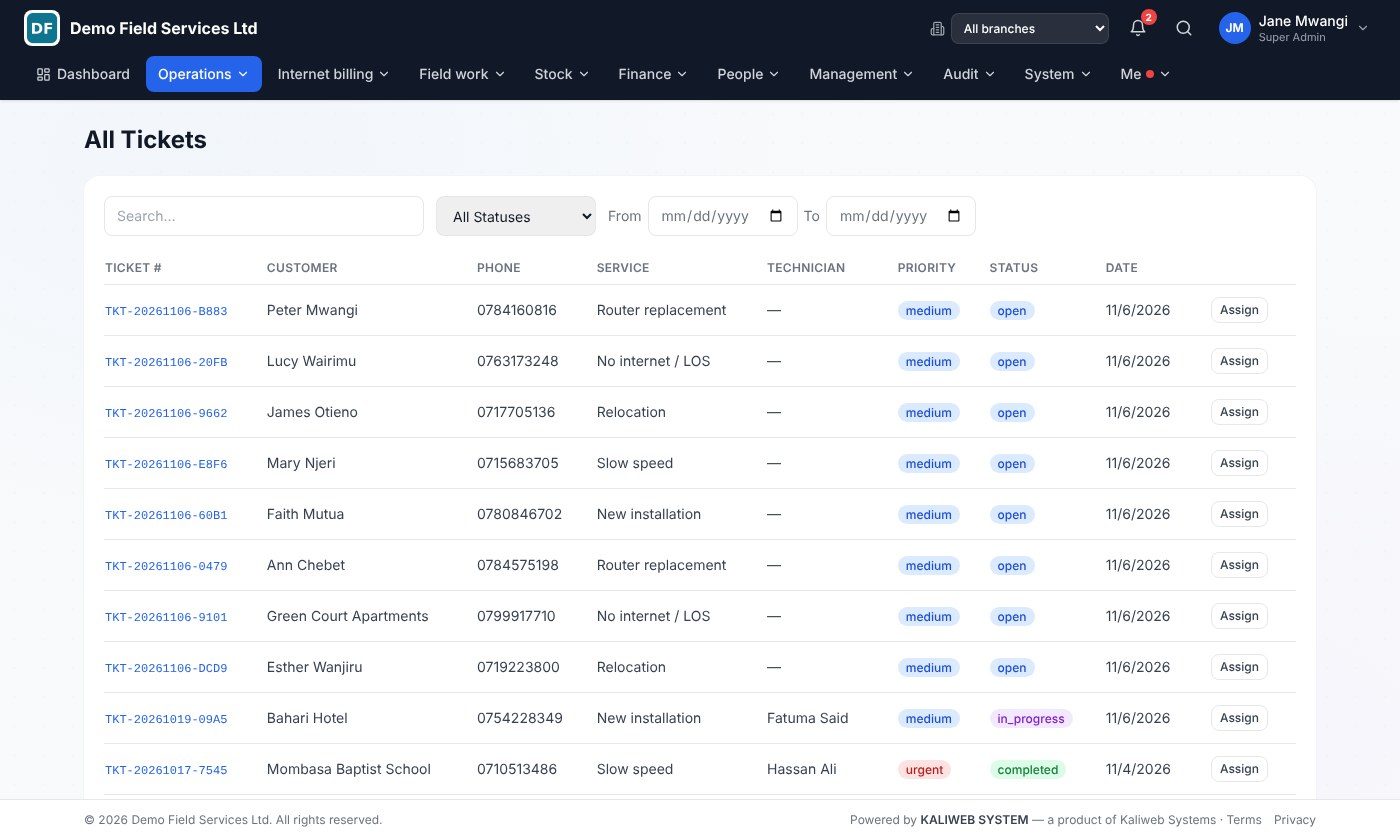
Fault & installation tickets
Every request gets a ticket number; the customer gets an SMS with a tracking link.
Customer accounts
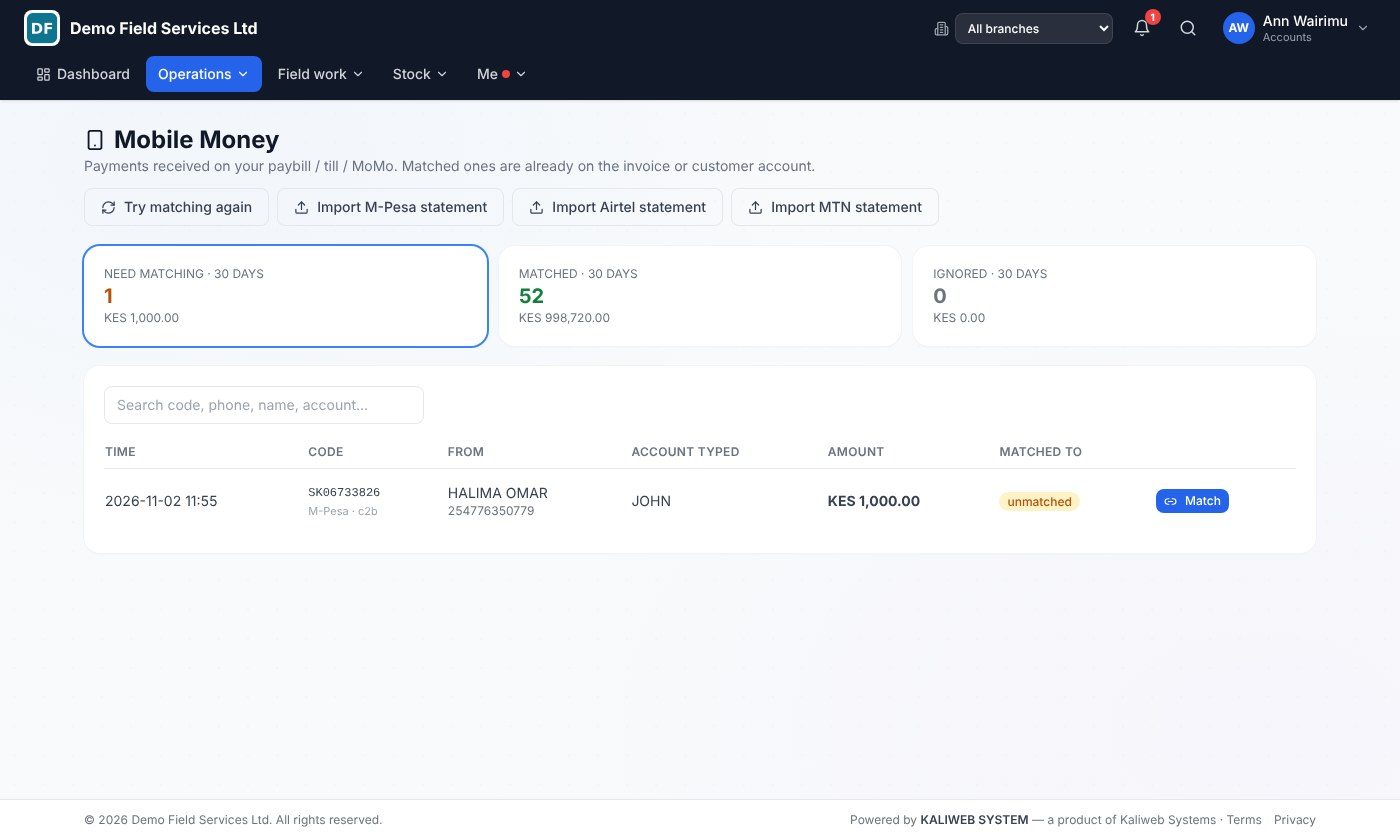
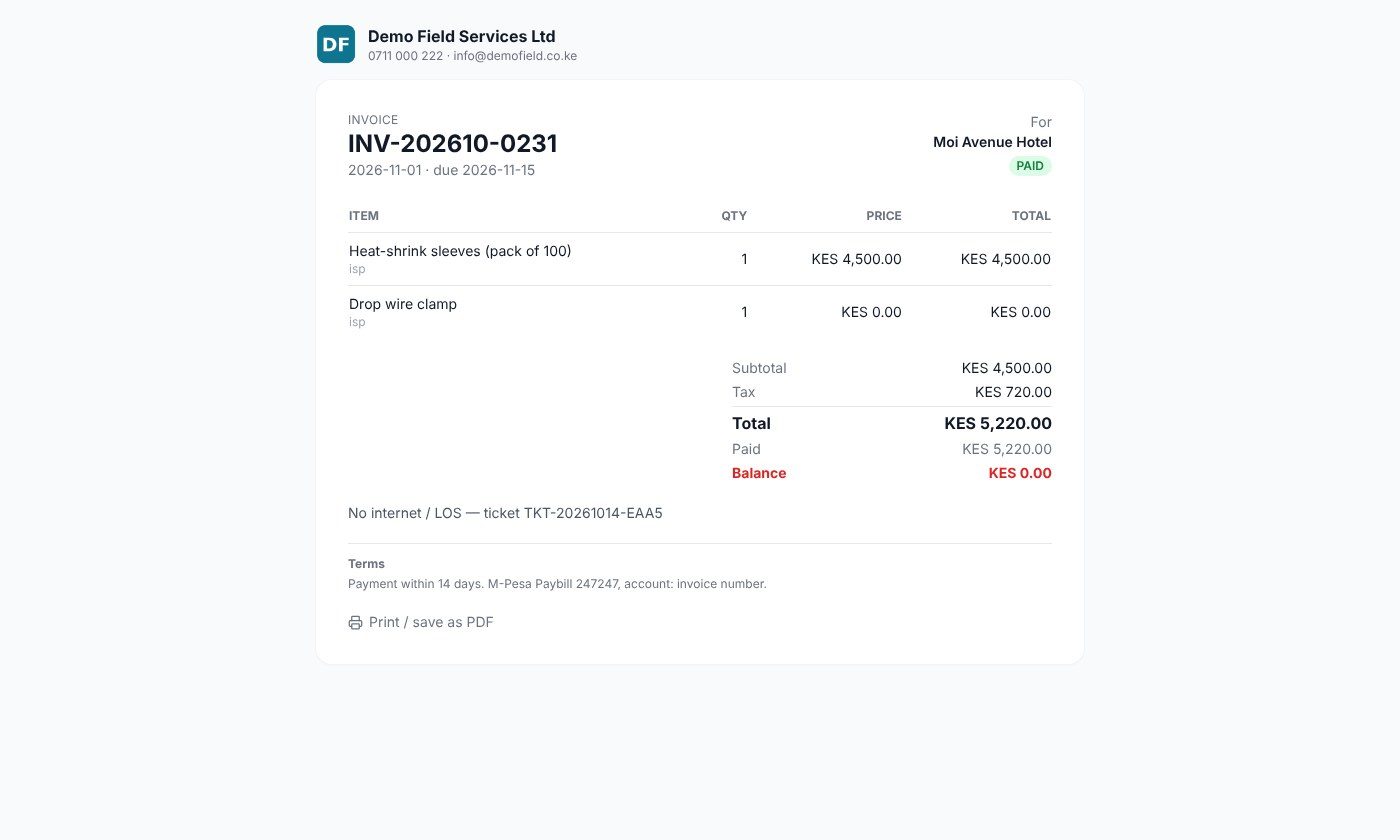
Pay to your paybill with the account number; payments are recorded against the customer automatically.
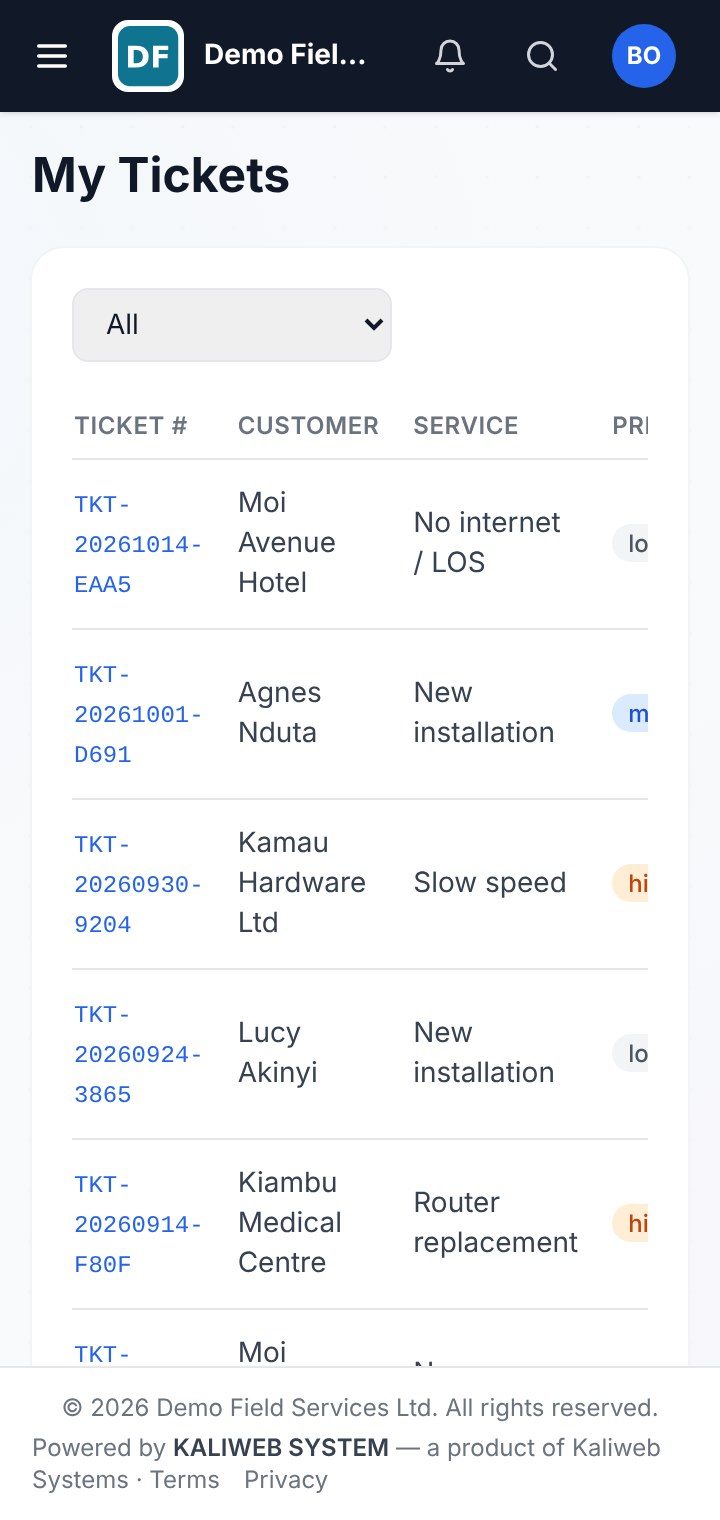
Technician app
Signal readings, photos and the customer's signature on every job report, even offline.
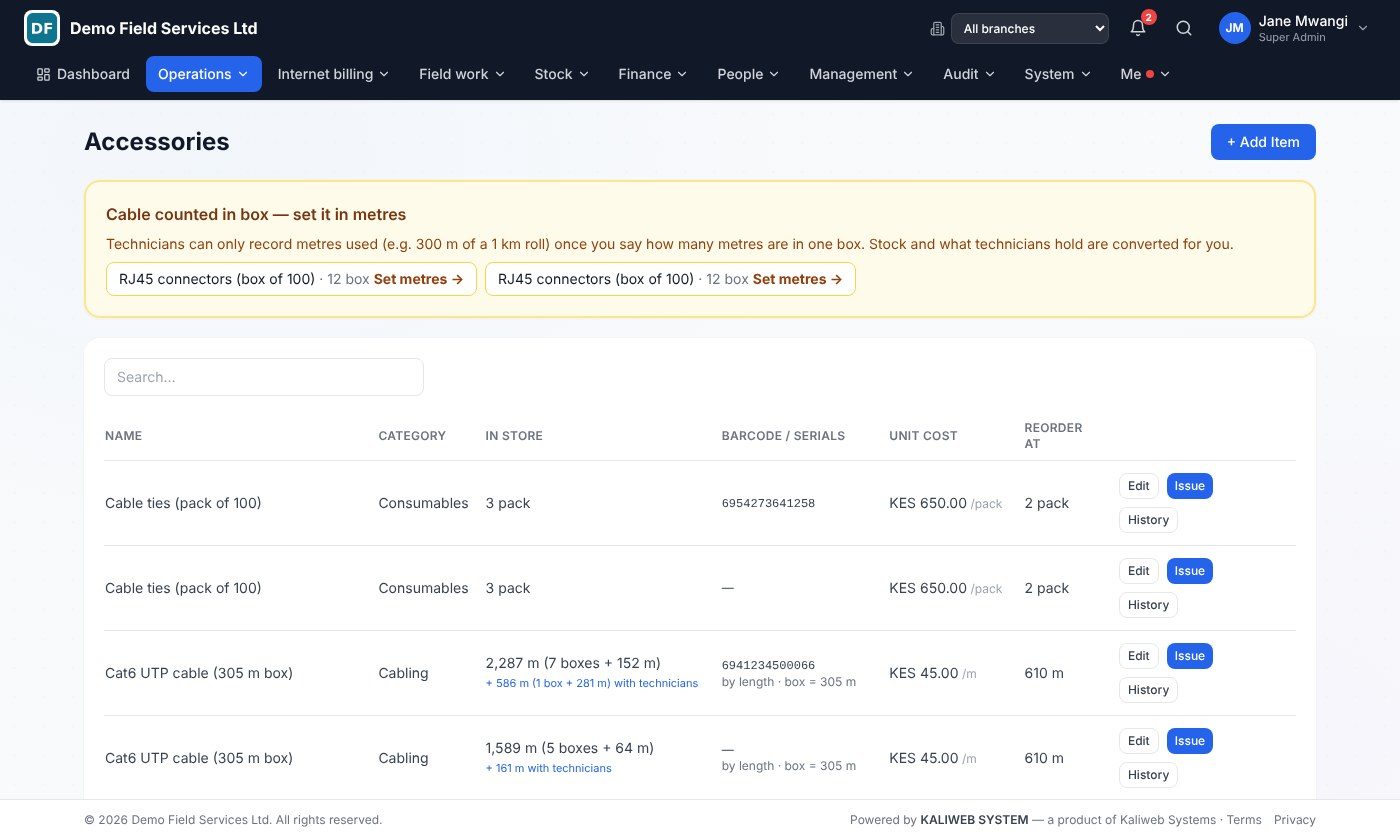
Stock per job
Routers, ONTs and cable issued to technicians and recorded per installation.
Customer portal
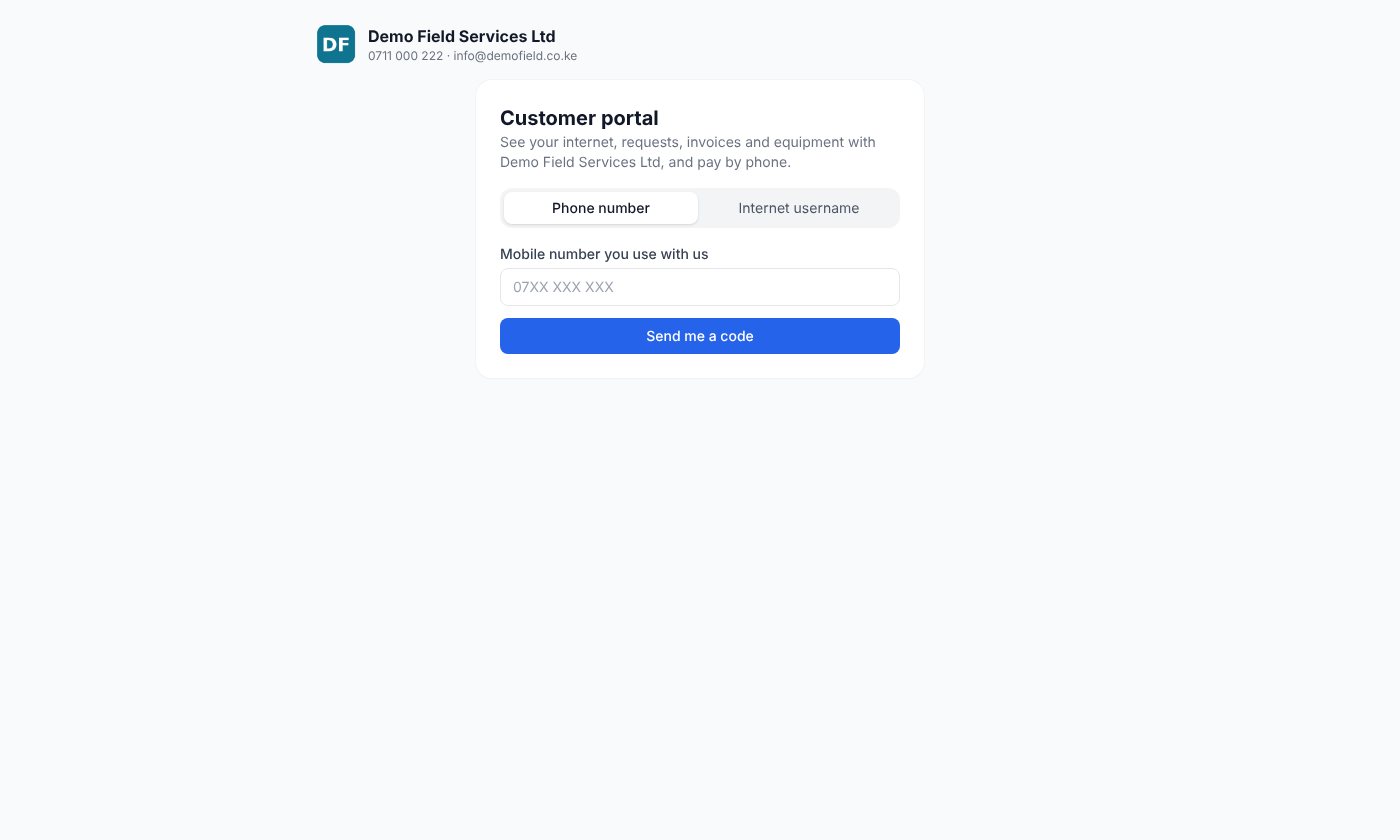
Customers log in with their phone to report a fault, see their invoices and pay.
Link & fibre survey calculator
Wireless link (path loss, fade margin, Fresnel clearance) or fibre loss budget before you install.
Network map
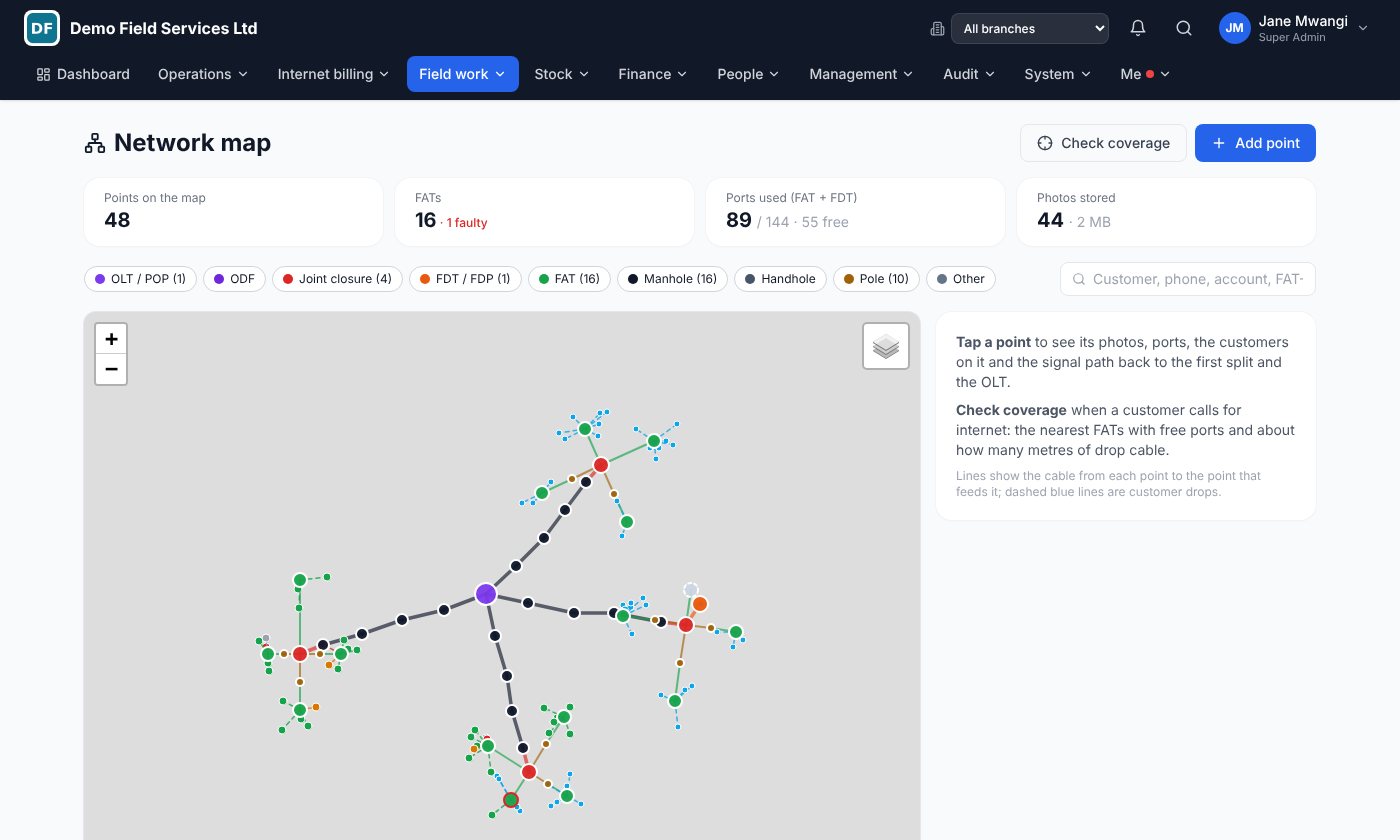
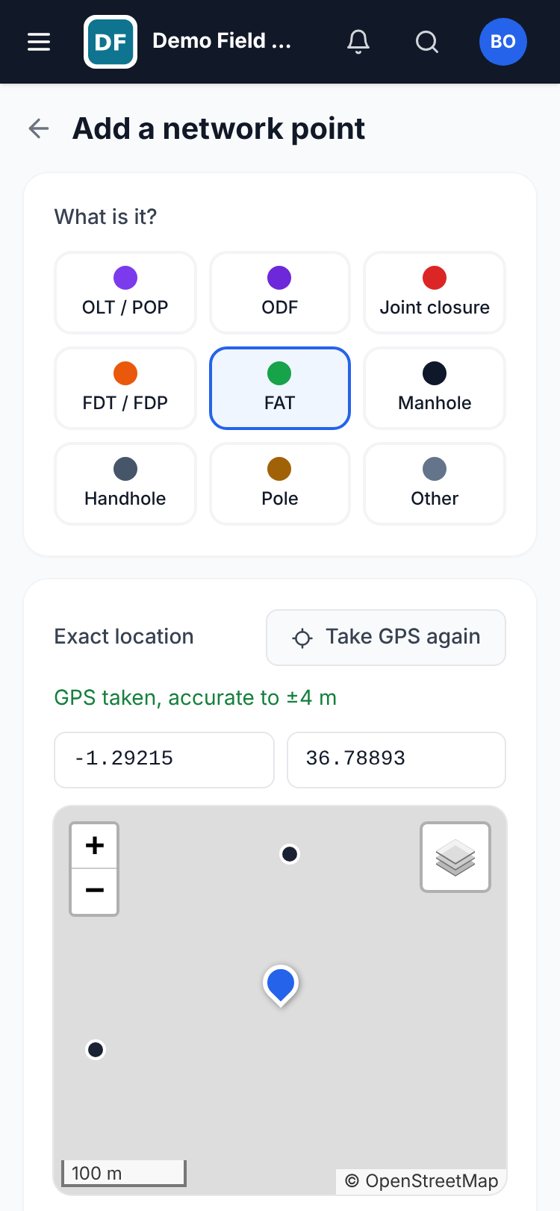
FATs, closures and manholes with GPS and photos; coverage check, free ports and the signal path to the OLT.
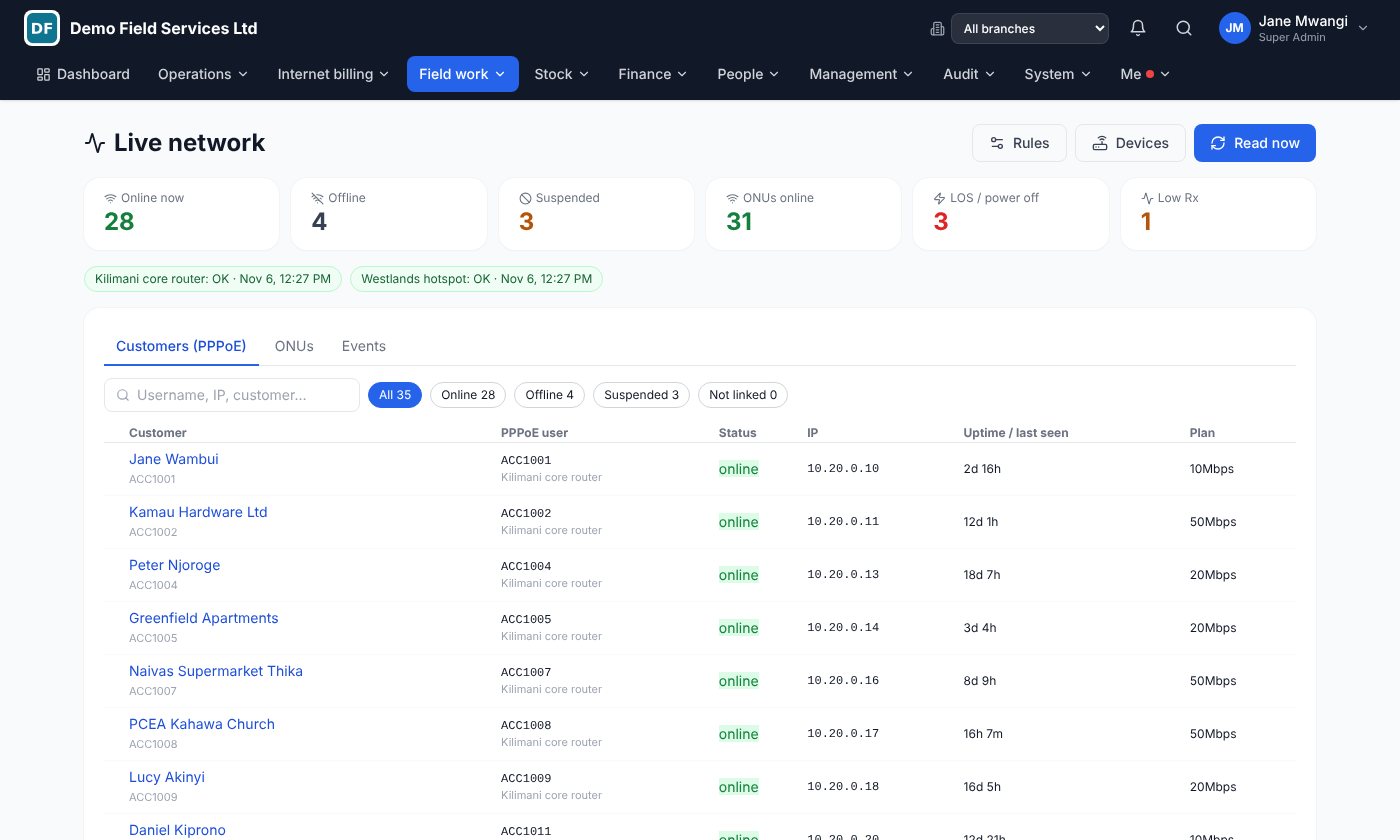
Live network
MikroTik and OLT: who is online, ONU Rx power, automatic suspend for unpaid and reconnect on payment, LOS fault tickets.
Your whole network on one map, and live
See every FAT, closure and manhole on the map, check coverage while the customer is still on the phone, and watch your MikroTik routers and OLTs from the same system you bill from.
The network map
- Technicians map it in the field. OLT, ODF, closures, FDT, FAT, manholes and poles, with exact GPS from the phone and photos.
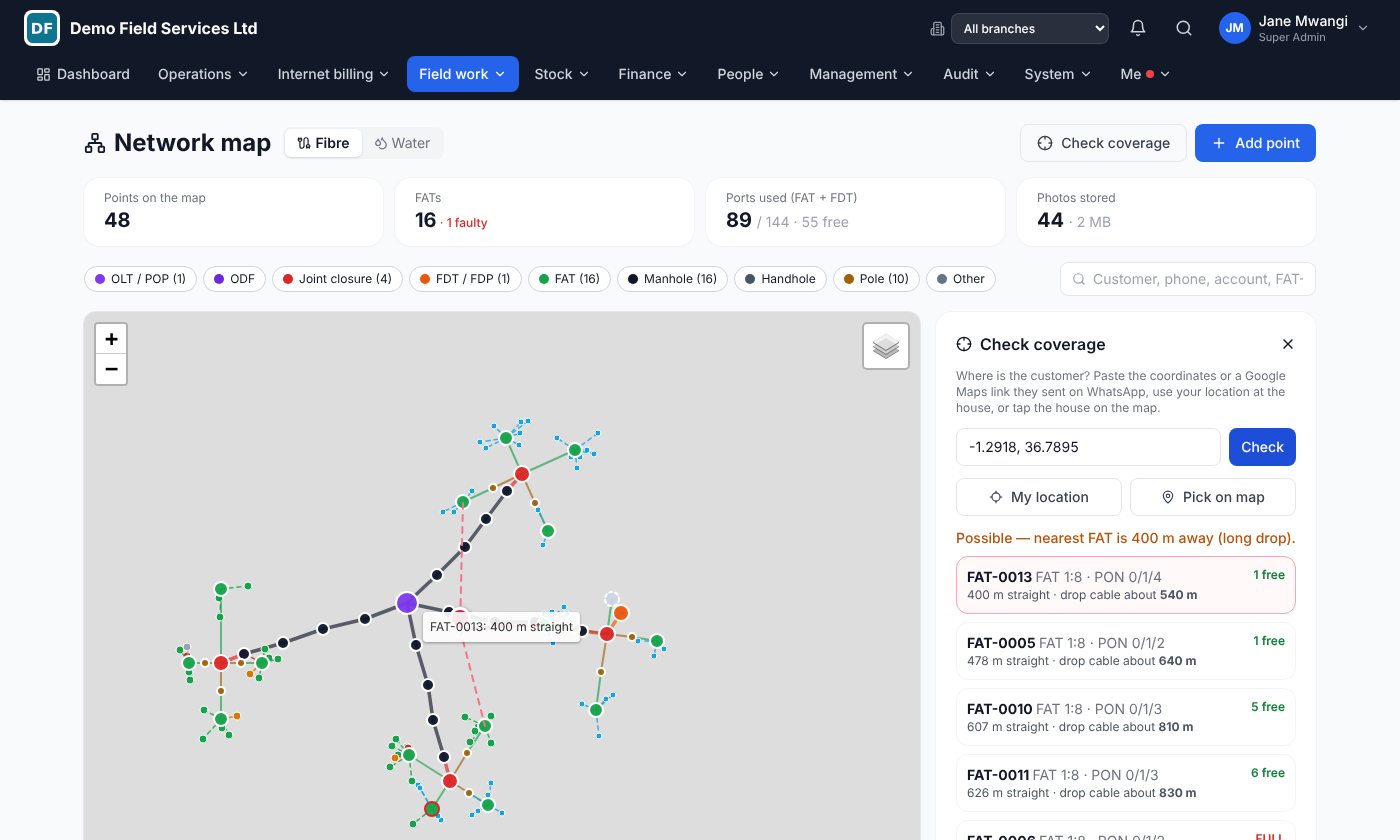
- Check coverage in seconds. Paste the location the customer sent on WhatsApp and get the nearest FATs with free ports and the drop cable needed.
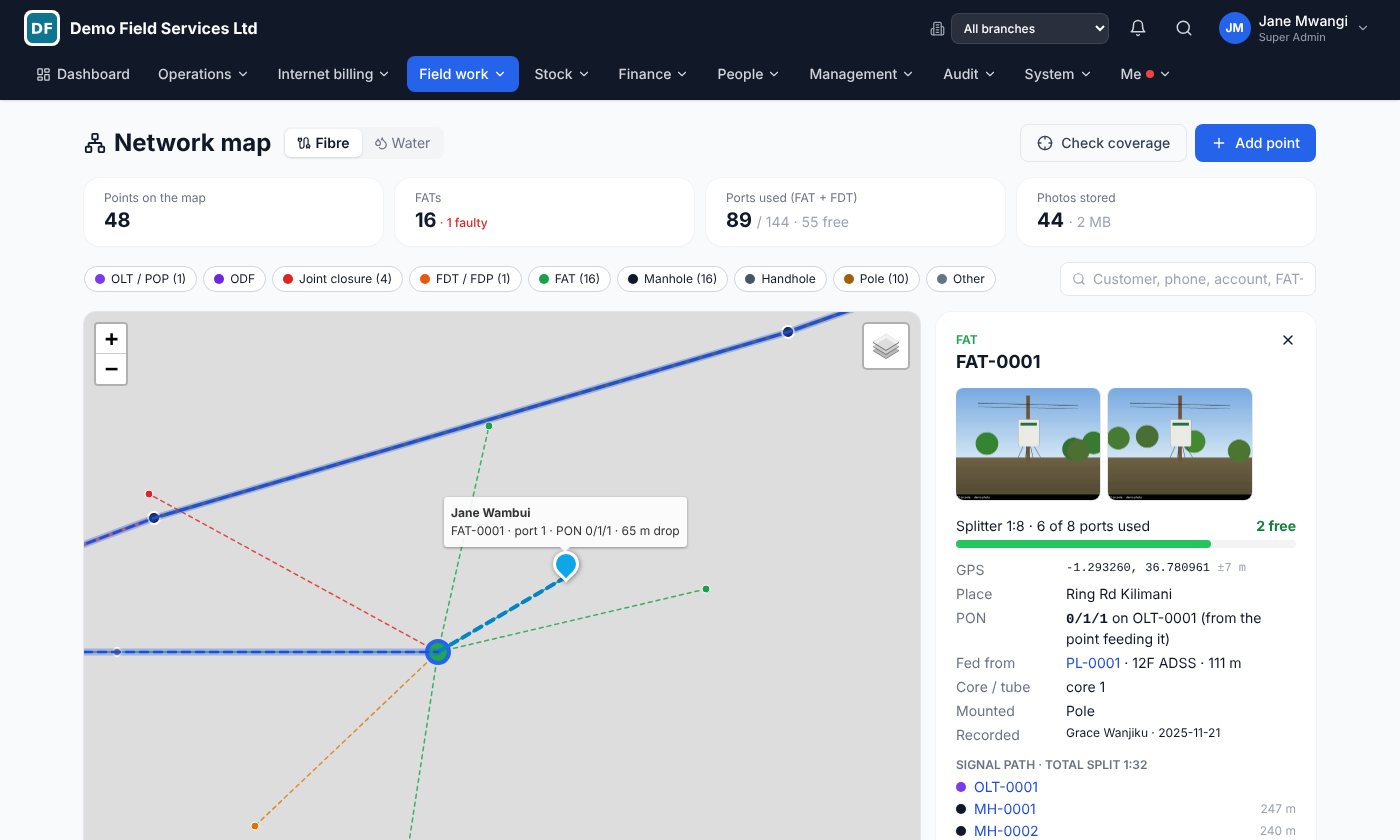
- Trace the signal path. Tap any FAT to see every point back to the OLT and the total split (1:8, 1:16, 1:32…).
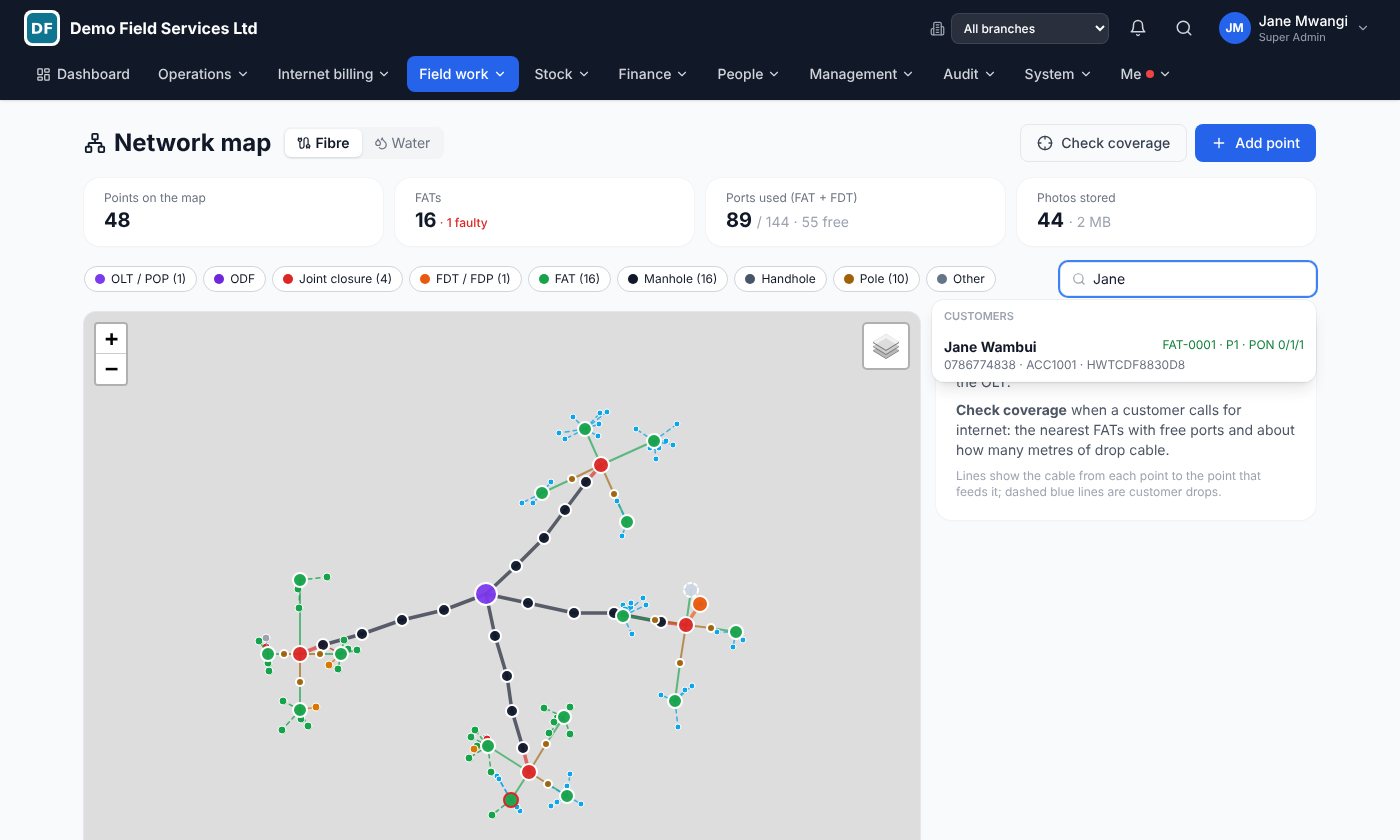
- Find any customer on the map. Search by name, phone or account and see the FAT, port and PON they are on.
- Ports and PONs under control. Free and used ports on every FAT, full or faulty points flagged.
Live network: MikroTik and OLT
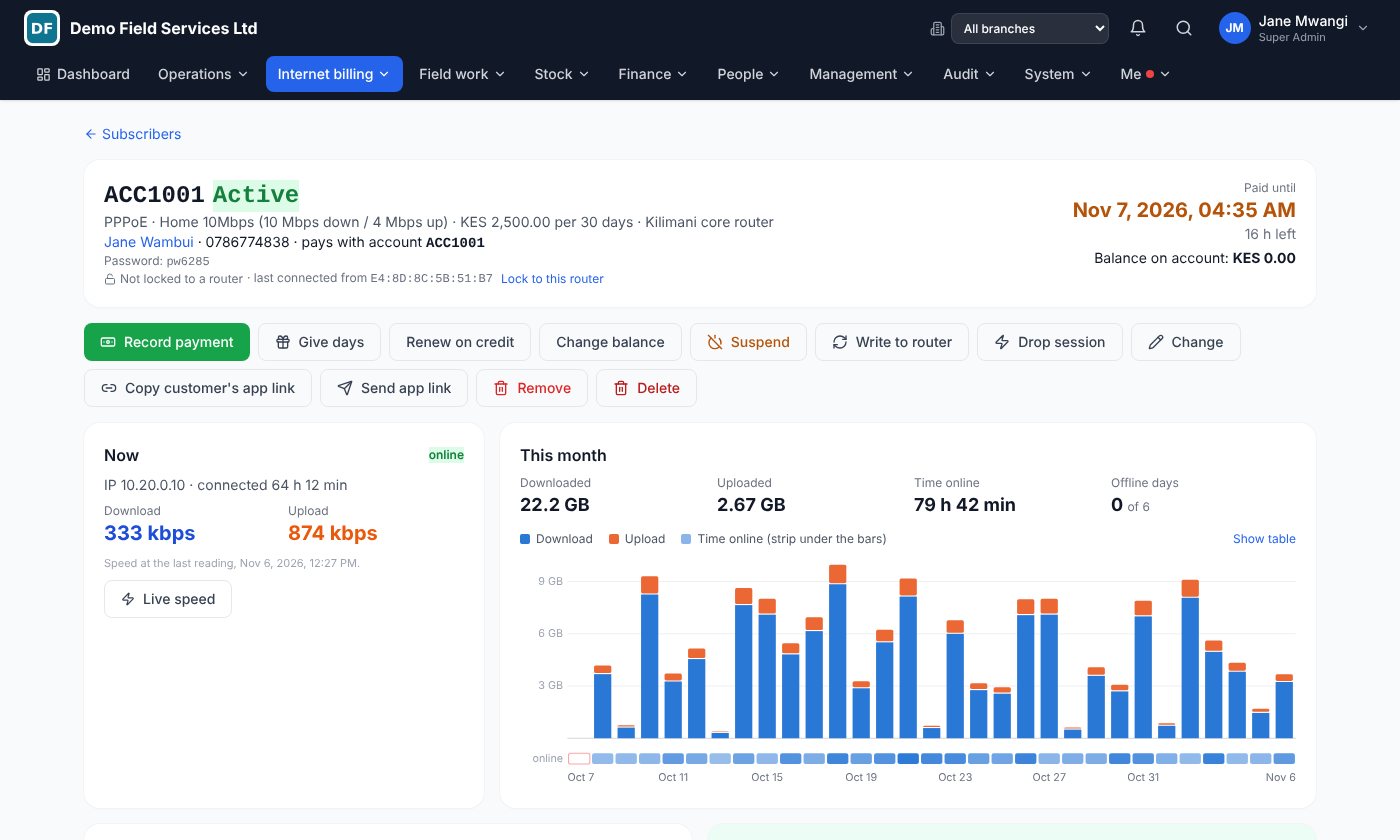
- Who is online right now. Every PPPoE and hotspot customer with IP, uptime and plan, read from your MikroTik routers.
- ONU status and light level. Every ONU with PON, status (online, LOS, power off) and Rx power from your OLTs.
- Suspend unpaid, reconnect on payment. Overdue customers are suspended automatically and reconnected the moment they pay by M-Pesa or bank.
- Faults raise themselves. When a customer's ONU loses light, a fault ticket is opened before they call.
- Customer care sees it all. The customer's page shows internet status, ONU and Rx power next to their invoices and tickets.
Works with MikroTik routers and Huawei, ZTE, VSOL, C-Data, HiOSO and other OLTs. We connect your devices for you.
PPPoE and hotspot billing
Your routers ask Kaliweb at every login. A customer who has paid gets in at their plan's speed. One who hasn't is refused, or sent to a page where they can pay, and is back online as soon as the M-Pesa arrives.
Customers can pay any amount to your paybill. The money sits on their account and renews the internet when it covers the plan. If someone asks to stay connected until Friday, renew them on credit, and the system shows what they owe in the subscribers list.
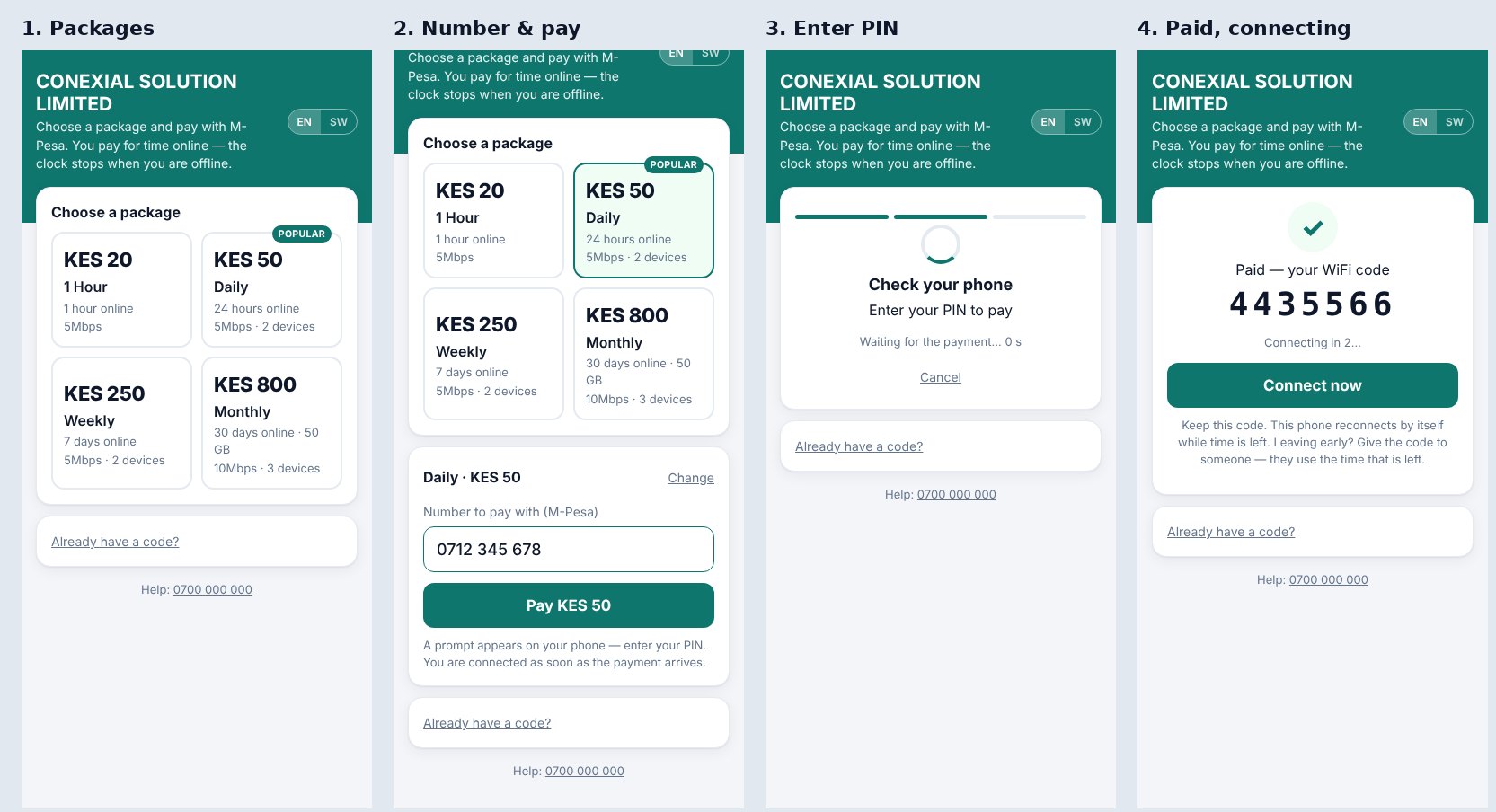
On the hotspot, people buy a package on the WiFi page itself: they choose, type their number, enter the M-Pesa PIN and are connected. The page is in English and Kiswahili. A 24-hour package is 24 hours online, so the clock stops when they leave. A phone that still has time is let back in by itself, and a code can be passed to a friend.
We add one command to each MikroTik and the router connects to our server by name. You don't need a public IP or a VPN. Every night the router's settings are backed up, and staff can change a customer's WiFi name or password from the office (TR-069), so nobody has to go to the house for that.
Moving from another billing system? We import your subscribers with their passwords (MikroTik, Splynx or an Excel export) and run both systems side by side until you are sure.
Screens your NOC and technicians use
Ask for a demo
We will show you the system with your own kind of jobs, on your phone and laptop. It takes 20 minutes.
0111 052 189 info@kaliwebsystem.com